Showing posts with label Bug. Show all posts

Sunday, November 13, 2016

Disable User Account Control In Windows 10

On Microsoft Windows 10, User Account Control ('UAC') prevents applications from making certain changes on your PC. Some applications try to change system-related parts, such as the Registry or the file system.

ML Bot is one of these applications because, in order to manage Magic Online and uninstall / reinstall it, the bot needs to access the file system (the "files on your hard drive"). If you don't disable UAC, ML Bot will not be able to perform certain tasks on Magic Online and in particular to repair MTGO in case of crash. As result the bot will work fine until MTGO crashes. At this point ML Bot will not be able to handle the crash and recover.
Please note that on a stable machine this will hardly happen and keeping the UAC turned will not affect you however typically this is not the case, MTGO is very unstable and crashes often and turning off UAC is mandatory.

Here is how to disable UAC and get rid of its popups in Windows 10.

Step 1
Firstly, right click on the “Start” button and select Control Panel option.


Step 2
Select "view by: large icons"


Step 3
Select the User Account option.


Step 4
Select the 'Change User Account Control setting' option

Step 5
Select User Account Control settings, and move the slider to the bottom (Never Notify). If the slider is already at the bottom (Never Notify) then move it up, release the mouse, move it down again to Never Notify and release it. Click OK.


Step 6
When you click OK the new dialogue box is open. Click YES.

Step 7
At this point UAC should be disabled. You will need to restart your PC. Once restarted, launch ML Bot using the icon on the Desktop,  if you completed the steps successfully the bot will launch without UAC. If you still see a request dialog from UAC, you did not disable UAC and you need to do again the steps above. If the problem still persists, please contact us via email at staff@mtgolibrary.com or mtgolibrary@gmail.com


Friday, September 23, 2016

Mtgo hotfix for broken binder

*UPDATE*  The binder problem seems to be fixed.

WotC just deployed a hotfix to the active trade binder problem. You need to restart your MTGO and the binders should be working fine as usual.

Our team is now doing tests, we'll keep you informed.


Wednesday, September 21, 2016

Fix your trade binder after the Mtgo Update

We found a way to fix the trade binders after the Mtgo update.

This is a bug preventing everyone (including 'humans') from adding / removing cards to the active trade binder. The binder is basically broken. There is nothing you can do to fix, you have to trash it and create a new one. Below the exact procedure

1) you need to create a new binder, empty 
2) you need to make it active 
3) you need to erase the old trade binder 
4) restart mtgo, let the bot go and handle the client as usual

Bugs in MTGO 93.633

The latest version of MTGO, released by WotC few hours ago, is heavily bugged. We had to rewrite parts of the bot to bypass these bugs and we will be publishing a bot update in few hours. 


There could be some errors on your MTGO that do not depend on ML Bot. The most common are:
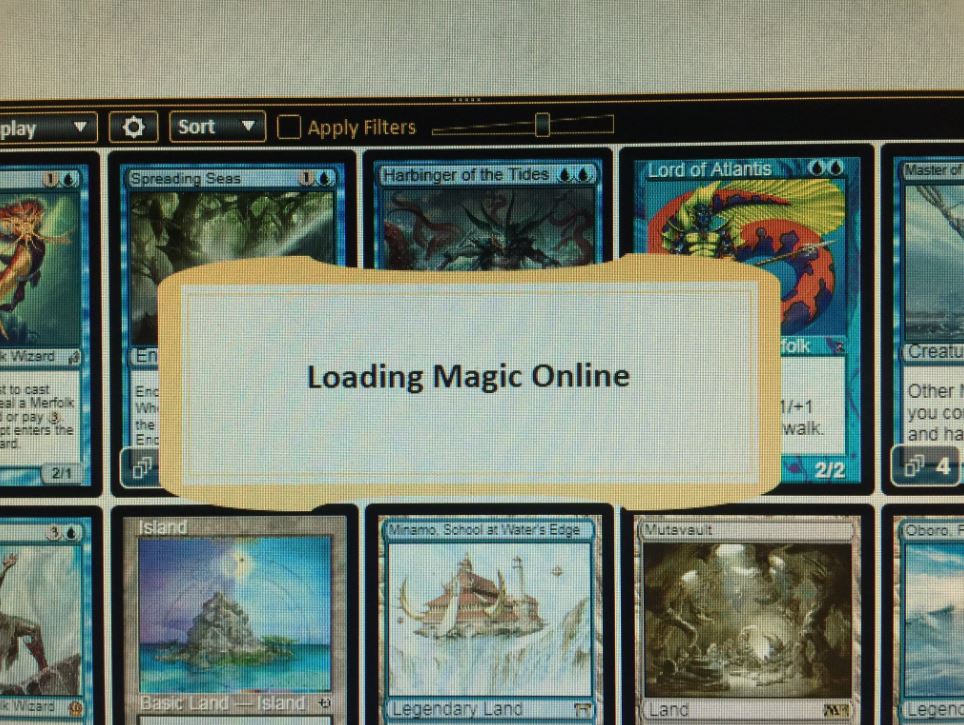
  • a constant "Loading Magic Online" alert message. If you have so, your account is unable to trade. You need to move MTGO to another pc and / or clone your virtual machine from a working one

  • impossibility to make your cards tradable. This happens on some accounts, and it is not related to the "Loading Magic Online". Not even manually you can make cards tradable

Beside that, the rest of the bot and mtgo is working.


Friday, July 8, 2016

MTGO Library Bot 11.24 - update required

Last Wednesday (6th July) Wizards of the Coast updated MTGO and changed a couple of minor internal things. We had to release a bot update (version 11.24) to cope with the changes. Previous bot versions have been disabled and now you cannot use them.

If your bot is experiencing problem, here you are the exact step to follow to restore it:

1. locate the bot folder and erase all the files in the "/log" folder. These are log files the bot created, and probably they filled the whole hard drive. You have to erase them to free some space.
2. empty the Windows Recycle bin to confirm the space
3. download the bot installer from www.mtgolibrary.com . The current version is 11.24. Any version superior to 11.24 is fine. Do not let the bot update by itself, use the installer.
4. install the bot again. Choose as destination folder the folder of the current bot folder. The installer will overwrite all the bot files but not your settings and your price.
5. the bot is now able to work again and can handle the new version of mtgo!

We'll be on LiveChat if you need help, please contact us


Wednesday, July 6, 2016

Important update: ML Bot 11.21

Yesterday we released ML Bot 11.21. This version fixes an important problem of the versions from 11.15 to 11.20. These versions logged too much information and in a couple of days filled the hard drive with large text files. With the hard drive filled, and no more space left, the bot encountered a lot of unexpected problems, such as DLL errors, blank screens at startup and blocks.

Not all the PCs experienced the same problem but if yours did then you have to update your bots to 11.21. You have to update manually, using the installer provided in the online control panel. Do not let bot update by itself. If the bot is already 11.21 and you still experience problem, please download the installer and overwrite the current installation.

Before doing everything you also have to check the "/log" folder in the bot main folder and erase all the files there. Most likely you will find a lot of text files there, taking all the hard drive space. Once erased, don't forget to empty your Recycle bin as well.

Thank you

Thursday, June 23, 2016

MTGO Library Bot 11.15

We just released ML Bot 11.15, fixing a major Mtgo bug introduced last Friday with the .615 hotfix. On some accounts the trade chat does not appear properly and does not dock on the right. The bot was unable to detect the problem and was not able to act properly.
To make things worse, if you dock the chat manually you will crash mtgo forever and you will have to reinstall it.

ML Bot 11.15 fixes the problem, it is able to detect the issue and to reset mtgo properly.


Sunday, October 12, 2014

The Pauper and Standard Pauper filters are broken

I played this match as part of the Pauper Gauntlet:


This started a twitter storm and it turns out that the Pauper and the Standard Pauper formats are broken in the sense that anything that has ever been common is legal in both formats, which should not be the case.

This leaves two formats filled with problems until a fix is delivered by Wizards (the same people who promised leagues in 2011) at some unknown date. So what do you do as a player?

Well, if someone else plays this card against you in a sanctioned tournament you will be reinbursed.

Submit your request using this link:

http://wizards.custhelp.com/app/answers/detail/a_id/668/~/magic-online%3A-reimbursement-requests-and-bug-reporting

Then there is the hard question - should you play these cards? They help you win. If you do, are you cheating.

My friend Bava has a strong opinion on the matter.


More Pauper Gauntlet updates on Wednesday. Stay tuned!