Yesterday we released ML Bot 11.67. The new bot version supports the new set Kaladesh (KLD).
As usual the official pricelist containing the KLD prices is available in the update process and for download from the Online Control Panel. LITE bots have to update as well.
Happy release events to all!
Showing posts with label new. Show all posts
Thursday, October 6, 2016
Monday, October 3, 2016
MTGO Library 10.65
We released ML Bot 10.65. The update contains many fixes regarding one of the most 'delicate' part of handling the MTGO client: the uninstall / install process.
Uninstall MTGO is sometimes required when MTGO breaks. In these cases you are not able to launch the client (not even manually) and the only way to fix is to reinstall MTGO. This is an easy task for a human but it's complex for a bot because many things can go wrong.
In particular, previous ML Bot versions had problem with non-English operative systems, where the title of the windows can be different from the typical "Application Error" messages that appears in an English-based system.
Uninstall MTGO is sometimes required when MTGO breaks. In these cases you are not able to launch the client (not even manually) and the only way to fix is to reinstall MTGO. This is an easy task for a human but it's complex for a bot because many things can go wrong.
In particular, previous ML Bot versions had problem with non-English operative systems, where the title of the windows can be different from the typical "Application Error" messages that appears in an English-based system.
Wednesday, September 21, 2016
Fix your trade binder after the Mtgo Update
We found a way to fix the trade binders after the Mtgo update.
This is a bug preventing everyone (including 'humans') from adding / removing cards to the active trade binder. The binder is basically broken. There is nothing you can do to fix, you have to trash it and create a new one. Below the exact procedure
1) you need to create a new binder, empty
2) you need to make it active
3) you need to erase the old trade binder
4) restart mtgo, let the bot go and handle the client as usual
This is a bug preventing everyone (including 'humans') from adding / removing cards to the active trade binder. The binder is basically broken. There is nothing you can do to fix, you have to trash it and create a new one. Below the exact procedure
1) you need to create a new binder, empty
2) you need to make it active
3) you need to erase the old trade binder
4) restart mtgo, let the bot go and handle the client as usual
Bugs in MTGO 93.633
The latest version of MTGO, released by WotC few hours ago, is heavily bugged. We had to rewrite parts of the bot to bypass these bugs and we will be publishing a bot update in few hours.
There could be some errors on your MTGO that do not depend on ML Bot. The most common are:
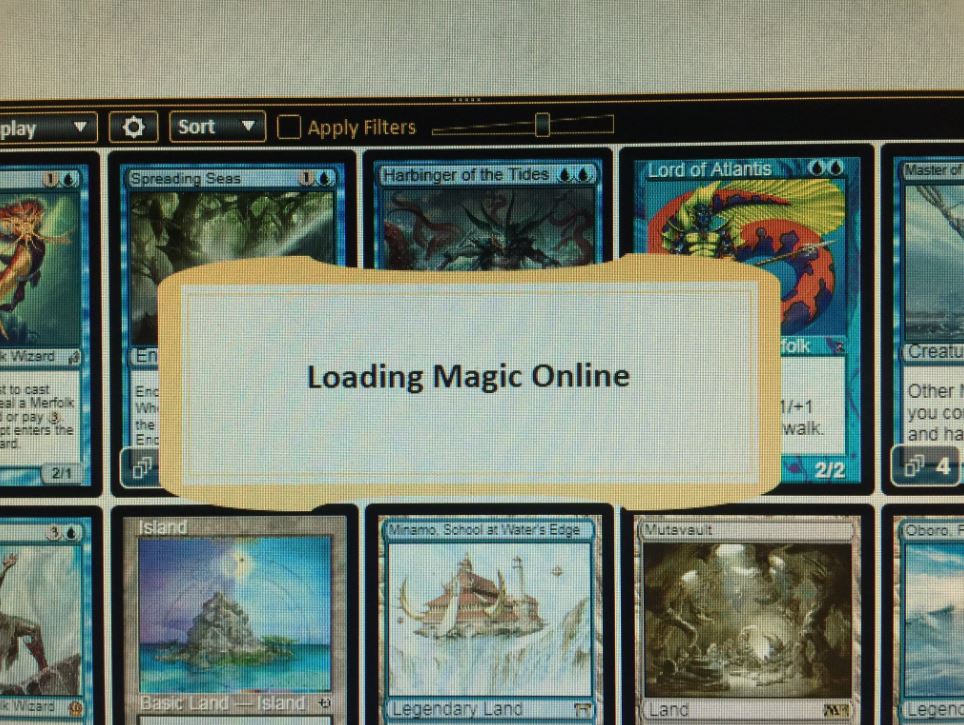
- a constant "Loading Magic Online" alert message. If you have so, your account is unable to trade. You need to move MTGO to another pc and / or clone your virtual machine from a working one
- impossibility to make your cards tradable. This happens on some accounts, and it is not related to the "Loading Magic Online". Not even manually you can make cards tradable
Beside that, the rest of the bot and mtgo is working.
Sunday, September 18, 2016
Upcoming MTGO Library Improvements
I am excited to annouce MTGO Library will be making some major improvements in the upcoming months. As I mentioned in a prior article, there will be a new price updater that will be launched in October. In the image below you see a work-in-progress preview, so don't take it as final.
In November there will be improvements to MTGO Wikiprice with increased search speeds, the grouping of reprinted cards into one search page (In other words, if want Tarmogoyf, you don't have to search 3 different sets), and possibly a universal credit system for all ML bots to share credits.
After Christmas / January 2017, a Webshop for Wikiprice will be launched. The new Webshop will allow customers to purchase from any bot using paypal or credit card. And then grab the cards on single bots, or on a wikiprice collector bot (so one trade). The goal is to make Mtgo Wikiprice a better place to shop.
In November there will be improvements to MTGO Wikiprice with increased search speeds, the grouping of reprinted cards into one search page (In other words, if want Tarmogoyf, you don't have to search 3 different sets), and possibly a universal credit system for all ML bots to share credits.
After Christmas / January 2017, a Webshop for Wikiprice will be launched. The new Webshop will allow customers to purchase from any bot using paypal or credit card. And then grab the cards on single bots, or on a wikiprice collector bot (so one trade). The goal is to make Mtgo Wikiprice a better place to shop.
Labels
bot updates,
new,
news,
price,
price adjustment,
price list,
pricing,
wikiprice
Thursday, September 8, 2016
New Pricing System Coming Soon
Mtgo Library is currently working on a major improvement to the background price updater that will be released in October. It is a total rewrite of the current one with a more advanced algorithm. The new pricing system will be dynamic and will allow the bot to follow the market immediately with two extra controls based on current sales and inventory stock. As always, Mtgo Library continues to make investments to keep their bots on the cutting-edge.
More details to come!
Labels
bot updates,
new,
news,
price,
price adjustment,
price list,
pricing,
wikiprice
Wednesday, August 31, 2016
ML Bot 11.42 'gentle login' tested on the field
Last Wednesday, despite the extended downtime, ML Bots sat idle during the downtime and did not try to constantly connect to the WOTC server. There were no reported bannings and everything went fine as expected. We want to inform the community that the fix has been tested on the field and it worked flawlessly. It is now safe to leave your bots on during downtime.
If you have multiple virtual machines, your virtual machines may have also benefited from the client sitting idle during downtime instead of constantly reloading the mtgo client and taking up memory resources. As a result, you should experience less freezing of virtual machines after downtime.
Happy botting!
If you have multiple virtual machines, your virtual machines may have also benefited from the client sitting idle during downtime instead of constantly reloading the mtgo client and taking up memory resources. As a result, you should experience less freezing of virtual machines after downtime.
Happy botting!
Sunday, August 21, 2016
Mtgo Average collection value - 21th June-August
Prices are still going down, but the big drop we saw at the end of July seems to be finished. For sure now the mtgo cards are their bottom value...
Monday, July 18, 2016
MTGO Library Bot 11.32
We have just released ML Bot 11.32. The new version introduces a redesigned card transfer (or "autotransfer") modality with server-side messages. Previous version used the mtgo chat to send and receives messages. This was slow and unreliable. Chat messages will still be active for "human interaction" (so you can still send AT messages to the bots) but bot-to-bot messages will be delivered via server.What does this mean practically for day-to-day card transfers? This means that card transfer trades will be faster, more reliable, will take less CPU time and less time in general.
Friday, July 8, 2016
MTGO Library Bot 11.24 - update required
Last Wednesday (6th July) Wizards of the Coast updated MTGO and changed a couple of minor internal things. We had to release a bot update (version 11.24) to cope with the changes. Previous bot versions have been disabled and now you cannot use them.
If your bot is experiencing problem, here you are the exact step to follow to restore it:
1. locate the bot folder and erase all the files in the "/log" folder. These are log files the bot created, and probably they filled the whole hard drive. You have to erase them to free some space.
2. empty the Windows Recycle bin to confirm the space
3. download the bot installer from www.mtgolibrary.com . The current version is 11.24. Any version superior to 11.24 is fine. Do not let the bot update by itself, use the installer.
4. install the bot again. Choose as destination folder the folder of the current bot folder. The installer will overwrite all the bot files but not your settings and your price.
5. the bot is now able to work again and can handle the new version of mtgo!
We'll be on LiveChat if you need help, please contact us
If your bot is experiencing problem, here you are the exact step to follow to restore it:
1. locate the bot folder and erase all the files in the "/log" folder. These are log files the bot created, and probably they filled the whole hard drive. You have to erase them to free some space.
2. empty the Windows Recycle bin to confirm the space
3. download the bot installer from www.mtgolibrary.com . The current version is 11.24. Any version superior to 11.24 is fine. Do not let the bot update by itself, use the installer.
4. install the bot again. Choose as destination folder the folder of the current bot folder. The installer will overwrite all the bot files but not your settings and your price.
5. the bot is now able to work again and can handle the new version of mtgo!
We'll be on LiveChat if you need help, please contact us
Wednesday, July 6, 2016
Scheduled Server updates
Today we will upgrade the hardware of all our servers. We will keep the servers down during the MTGO downtime, this means that mtgolibrary.com and mtgowikiprice.com will not be accessible while MTGO is down.
Thank you for your patience
Thursday, June 23, 2016
MTGO Library Bot 11.15
We just released ML Bot 11.15, fixing a major Mtgo bug introduced last Friday with the .615 hotfix. On some accounts the trade chat does not appear properly and does not dock on the right. The bot was unable to detect the problem and was not able to act properly.
To make things worse, if you dock the chat manually you will crash mtgo forever and you will have to reinstall it.
ML Bot 11.15 fixes the problem, it is able to detect the issue and to reset mtgo properly.
To make things worse, if you dock the chat manually you will crash mtgo forever and you will have to reinstall it.
ML Bot 11.15 fixes the problem, it is able to detect the issue and to reset mtgo properly.
Friday, June 17, 2016
Mtgo Wikiprice now lists Eternal Masters
A few hours ago we updated wikiprice to list Eternal Masters (EMA).
You can find the whole card list here: https://www.mtgowikiprice.com/cards?edition_id=124
Happy drafts!
You can find the whole card list here: https://www.mtgowikiprice.com/cards?edition_id=124
Happy drafts!
Thursday, June 16, 2016
ML Bot 11.13 brings Eternal Masters!
We have just released ML Bot 11.13, supporting Eternal Masters (EMA). To trade EMA cards, you have to update the bot client to 11.13 and to download an uptodate pricelist ("CardsMTGO.txt") containing the EMA cards. As usual the pricelist is available for free during the update process and in the bot client installer. LITE bots should update as well.
Enjoy the events and the new set, it is gonna be big!
Labels
bot,
new,
New set,
Pre-release,
price list,
release events
Saturday, May 28, 2016
MTGO Library Bot 11.07 and 11.08

On Thursday we released ML Bot 11.07 and today we just released ML Bot 11.08.
These two updates contains a couple of minor fixes to restore the full bot functionality after Wednesday downtime.
Thursday, May 26, 2016
MTGO Library Bot 11.06
Yesterday Wizards of the Coast deployed a Mtgo update with an internal refactor. After the update the bot was not working properly. After few hours we released a bot client update (version 11.06) to address the issues and restored the fully functionality. We forced the update on all the bots from remote, so you probably already have version 11.06 on your bot.
Today we will release a minor update (11.07) to tune and better integrare the bot.
Thursday, May 12, 2016
MTGO Library Bot 11.01
We have just released ML Bot 11.01 . Version 11.01 fixes a problem with sending the chat messages on Windows 10, where the bot was often unable to send them.Windows 7 and Windows 8 users can skip the update while Windows 10 users are strongly recommended to update as soon as possible.
Monday, May 9, 2016
Impacted Connectivity on mtgolibrary.com

We're aware of reports of unsteady and limited connectivity to mtgolibrary.com.
Our network Engineers are currently investigating and the server will fully online again soon.
Thank you for your patience.
Sunday, May 8, 2016
MTGO Library Bot 11.00
We released ML Bot 11.00 some minutes ago. The new version improves a number of things. Among these:
- ML Bot has been compiled with Net 4.5.2 to offer a better compatibility with Mtgo.
- Some weeks ago, WotC updated Mtgo and broke the "blinking" of the submit button in trade. As result, the bot was unable to detect the submit and needed an explicit "done" command in the chat to finalize the trade. We fixed the problem by changing the way the bot detects the submit and now typing "done" is no more necessary.
- Opening trade with other bots is now faster and more reliable.
- We fixed some DKA cards with wrong names
Monday, March 21, 2016
MTGO Library Bot 10.83
We have just released ML Bot 10.83. The new version improves many aspects of the bot, including:
- card transfer mode is more now reliable. The bot had some problems in opening a trade, especially on slow machines, and this resulted in many failed attempts to open trade
- we fixed a problem with the trade final confirm window, where the bot was unable to click the confirm button again if the "first click" on the button was not received by MTGO
- we fixed a problem with the launch of MTGO, when the bot receives trade requests within the first seconds, when MTGO is not fully loaded
Please note that the last bot release was 10.80. This is version 10.83, version 10.81 and 10.82 have not being released to the public, we just kept them in our internal development.
Subscribe to:
Posts (Atom)