
Showing posts with label expanding. Show all posts
Showing posts with label expanding. Show all posts
Saturday, May 24, 2014
WebShop APIs example usage
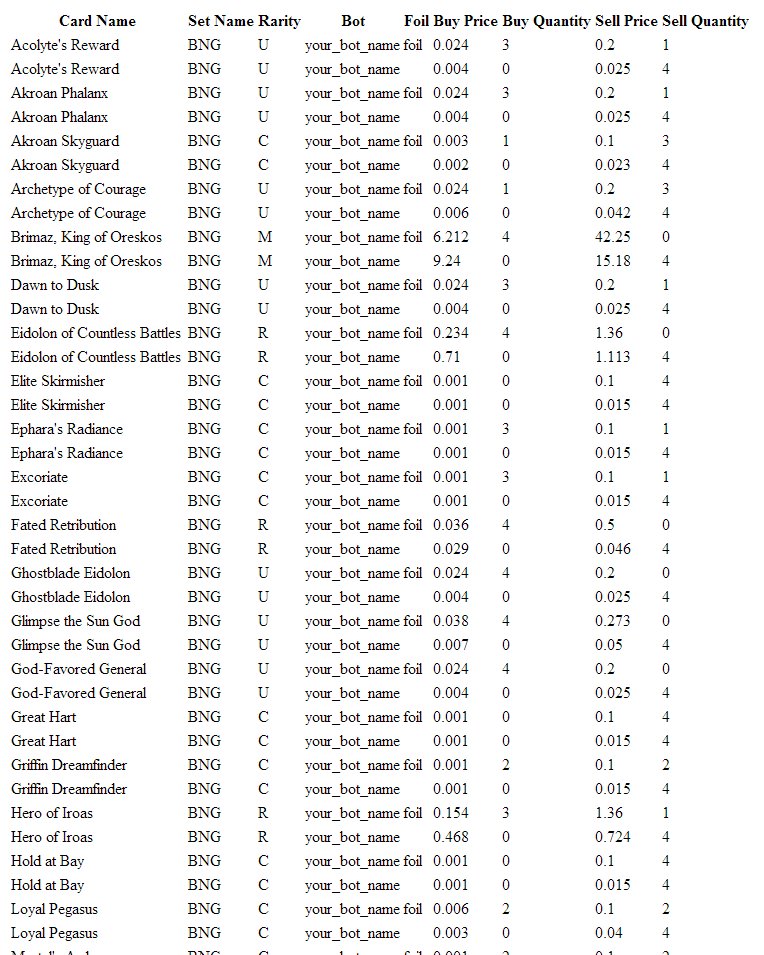
The following code snippet shows how to use the inventory api to populate a table of cards. It is a good starting point if you need to build you own views.

Friday, April 25, 2014
Introducing the Price Consistency Tool
Hello Botters,
today we take the market back and ban speculators and raiders out of our lives forever. We are introducing a new tool, Pricing Consistency.

Take a look at any card on mtggoldfish.com: compared to paper magic (right, blue line), mtgo prices (left, red line) go up and down suddenly in short amounts of time. In the example Ashiok crossed the value of 5.5 tixs 27 times in a month. This happens because the MTGO Market is lively and very efficient. Without any protection, you could easily buy Ashiok at its highest price and sell it at the lowest, all the opposite you want to do. You can price each card manually via PersonalPrices.txt, but this is really time consuming and simply you cannot do for every card.
 The goal of the Price Consistency tool is to decrease the amount of sudden spikes of cards and increase the overall stability of the market. As you see in the first graph the red line represents the current market, the blue represents the market of the future. Price Consistency will help increase your overall profit.
So how does it work? There are two sides of the table, the buy price consistency and the sell price consistency.
 Sell price consistency:
For each card, your bots will automatically adjust the selling price to minimize your loss for market fluctuations. For example, if you buy a card for 10 tix and the market drops in value so that you are now selling it for 9 tixs, you will lose 1 tix if you do not have selling protection.
The % dropdown menus defines the force of the price adjustments. You can have a time decay so that a card bought long time ago won't affect the selling price too much.
100% means: if necessary, calculate the new price to save you 100% of the loss. Using the example above, this will result in a selling price of 10 tixs.
80% means: if necessary, calculate the new price to save you 80% of the loss. Using the example above, this will result in a selling price of 9.8 tixs.
0% means: no protection, simply use the current selling price. Using the example above, this will result in a selling price of 9 tixs.
You have the option to override Personal prices. Please note that if your protection percentage is set too high for too long you risk not selling the card, and therefore not re-buying it at the market value. This may result in a lower than normal inventory rotation and an overall loss in profits. Remember that some cards fall in price and if you don't keep up with the market you may be holding onto the card for too long.

For each card, your bots will automatically adjust the buying price to minimize your loss for market fluctuations. For example, if you sell a card for 10 tix and the market rises in value so that you are now buying it for 11 tixs, you will lose 1 tix if you do not have buying protection.
The % dropdown menus defines the force of the price adjustments. You can have a time decay so that a card sold long time ago won't affect the buying price too much.
100% means: if necessary, calculate the new price to save you 100% of the loss. Using the example above, this will result in a buying price of 10 tixs.
80% means: if necessary, calculate the new price to save you 80% of the loss. Using the example above, this will result in a buying price of 10.2 tixs.
0% means:; no protection, simply use the current buying price. Using the example above, this will result in a buying price of 11 tixs.
today we take the market back and ban speculators and raiders out of our lives forever. We are introducing a new tool, Pricing Consistency.
Take a look at any card on mtggoldfish.com: compared to paper magic (right, blue line), mtgo prices (left, red line) go up and down suddenly in short amounts of time. In the example Ashiok crossed the value of 5.5 tixs 27 times in a month. This happens because the MTGO Market is lively and very efficient. Without any protection, you could easily buy Ashiok at its highest price and sell it at the lowest, all the opposite you want to do. You can price each card manually via PersonalPrices.txt, but this is really time consuming and simply you cannot do for every card.
The goal of the Price Consistency tool is to decrease the amount of sudden spikes of cards and increase the overall stability of the market. As you see in the first graph the red line represents the current market, the blue represents the market of the future. Price Consistency will help increase your overall profit.So how does it work? There are two sides of the table, the buy price consistency and the sell price consistency.
For each card, your bots will automatically adjust the selling price to minimize your loss for market fluctuations. For example, if you buy a card for 10 tix and the market drops in value so that you are now selling it for 9 tixs, you will lose 1 tix if you do not have selling protection.
The % dropdown menus defines the force of the price adjustments. You can have a time decay so that a card bought long time ago won't affect the selling price too much.
100% means: if necessary, calculate the new price to save you 100% of the loss. Using the example above, this will result in a selling price of 10 tixs.
80% means: if necessary, calculate the new price to save you 80% of the loss. Using the example above, this will result in a selling price of 9.8 tixs.
0% means: no protection, simply use the current selling price. Using the example above, this will result in a selling price of 9 tixs.
You have the option to override Personal prices. Please note that if your protection percentage is set too high for too long you risk not selling the card, and therefore not re-buying it at the market value. This may result in a lower than normal inventory rotation and an overall loss in profits. Remember that some cards fall in price and if you don't keep up with the market you may be holding onto the card for too long.
Buy price consistency:
The % dropdown menus defines the force of the price adjustments. You can have a time decay so that a card sold long time ago won't affect the buying price too much.
100% means: if necessary, calculate the new price to save you 100% of the loss. Using the example above, this will result in a buying price of 10 tixs.
80% means: if necessary, calculate the new price to save you 80% of the loss. Using the example above, this will result in a buying price of 10.2 tixs.
0% means:; no protection, simply use the current buying price. Using the example above, this will result in a buying price of 11 tixs.
Happy botting!
Jason - Teamstoge
Sunday, December 29, 2013
Many Magic Online bots: Virtualization on Windows Comparative Benchmark
We host an article by Enrique taken from his blog: http://www.mtgeconomist.com/en
You can read the original article here: http://www.mtgeconomist.com/en/instalar-bots-de-magic-online-virtualizacion-en-windows-parte-8-2/
Let me say that the main reason for writing this series is the enormous difficulty I have found when trying to search for articles that compare the reliability of different virtualization utilities (in fact I have not found anyone good enough). Therefore, I decided to write my own experience and test the main existing applications so you can decide the program that best suits your needs for your Magic Online stores machine.
You can read the original article here: http://www.mtgeconomist.com/en/instalar-bots-de-magic-online-virtualizacion-en-windows-parte-8-2/
Let me say that the main reason for writing this series is the enormous difficulty I have found when trying to search for articles that compare the reliability of different virtualization utilities (in fact I have not found anyone good enough). Therefore, I decided to write my own experience and test the main existing applications so you can decide the program that best suits your needs for your Magic Online stores machine.
What is virtualization?
Virtualization consists of emulating an Operating System (from now OS) inside another one which is the hosting OS. This software runs a full OS inside a window, as if it was another computer. The window that contains that emulated OS is also called a virtual OS or virtual machine (VM in advance).

If you remember from previous articles, the bot gets the resources of the mouse and keyboard to interact with the Magic Online client, which prevents you to use the computer where it is installed. With this software you will not have that problem if you install both Magic Online and the bot in a VM, since all the commands in these input devices are virtually processed.
A VM consumes resources like any computer. You can configure these resources with the only limitation of your hosting OS, considering that it also requires a minimal amount of resources. Some virtualization software can overcome these limits but such software emulation greatly reduces the VM performance.
Of course, nothing but the limits of the hardware prevents you from running more than one VM on the same computer. Thus, you could have several stores in Magic Online using a single computer.
Minimum requirements for a virtual machine
Since each VM will consume a significant part of our computer resources, I recommend that you set the minimum requirements in order to run the Magic Online client. The general requirements are (this is valid for the current version 3.0 not for the beta):
- Operating System: Windows XP Professional SP2 “Lite”
- CPU: 1 kernel
- RAM memory: 1.5 GB
- Hard Disk: 20 GB
- Video Resolution: 1440×900
The OS is a very small version of the original one. You can create an installation disk from the original image and remove all non-required extra tools with a program like nLite. In my case, my version of Windows XP consumes about 60-70 MB of RAM.
The CPU can be configured with more cores, but I think 1 is more than enough to run the bot with the Magic Online client.
The minimum RAM memory needed is about 800-1000 MB. However, with this amount of memory the OS can remap the loaded programs to the Windows swap file, leaving the VM unusable. An amount of 1.5 GB is the minimum size I have set on my VMs with no problems.
The hard disk space of the VM does not have to be 20 GB, in fact all installed applications and the trades backup files will not take you more than 6-8 GB. Anyway it is always better to leave more capacity, because if you create a virtual hard disk file with dynamic space assignation it will not use more space on your physical drive than required.
About the last feature, the minimum resolution is 1280×800 but it is too limited and the bot may have problems. It is a good idea to set a higher size (1440×900 or 1280×1024 for example), and if you have a lower resolution on your hosting OS the VM will add navigation bars so you can see its entire desktop.
You must also consider that the VMs will have more or less available resources depending on the hosting OS. For example, it is not the same that the hosting OS consumes 1 GB of RAM rather than another one that only uses 100 MB. However, you should also keep in mind that maybe the first hosting OS runs special services for the use of hardware virtualization or other useful features for VMs that are not present for the second one.
The ideal hosting OS would be the vSphere Hypervisor ESXi platform by VMware, which has been specifically designed to manage VMs consuming as little as 32 MB of RAM. However, installation is complex and is not compatible with any PC. If you would like more information about this topic, you can have a look at this series of articles written by Thrillski.
Virtualization with Windows hosting OS: benchmark setup
Once you have viewed the settings for each VM, we will create them with the Windows virtualization software selected for this comparison. Two of the applications I have chosen are completely free and unrestricted: VirtualBox 4.3.4 by Oracle and VMware Player 6.0.1. I have also considered a paid tool, VMware Workstation 10.0.1, in order to see if there are relevant differences that justify its price for its use with a Magic Online bot.

I have compared the performance by measuring the average times of a sequence of tests that any VM will run frequently. The three applications have been tested on two computers with the following configurations:
| Computer 1 | Computer 2 | |
| Hosting OS | Windows 7 Home Premium SP1 64bit | Windows 7 Professional SP1 64bit |
| Processor | Intel Core Quad Q8200 2.33 GHz | Intel Core i7-2600 3.4 GHz |
| Hardware Virtualization | No | Yes |
| RAM memory | 8 GB | 4 GB |
| Hard Disk | 500 GB 7200rpm | 500 GB 7200rpm |
| Graphics Card | nVidia GTX 285 1GB | nVidia GeForce GT 220 1GB |
Although it is interesting to see the performance differences between these computers, the rigurous comparison is done for the virtualization software running on the same machine. The tests involve measuring the time taken for the VM to perform the following tasks:
- VM first boot. Measures the performance without using the cache memory, useful if virtualization software starts upon booting the hosting OS.
- VM second boot. While you don’t run other programs, if you reboot the VM you will see how its performance is improved.
- Simultaneous boot of 2 VMs (same software). The aim consists of testing how virtualization software manages computer resources among multiple VMs. This test is useful for measuring the performance if using more than one store.
- Simultaneous boot of 2 VMs (other software). This test is used to test how an virtualization tool manages the system resources without caring about other VMs from other software.
- Running Magic Online update tool (Kicker). As this application mainly depends on the communication with the server of Magic Online, I wanted to use it to get an idea of how virtualization software manages the network connection.
- Running Magic Online client. This test allows to compare the performance of data loading of Magic Online as well as the management of the CPU computation performed by the virtualization software.
- Load the price list of the MTGO Library bot. This phase of the bot setup makes heavy use of memory, which is important during the execution of the store.
Results and discussion
Firstly I will detail the conditions under which I have done every test to ensure repeatability and a good comparison between platforms:
- The first 4 time trials start right after clicking the start button of the VM and end when the desktop is fully loaded (icons and Start bar are shown on the window).
- Kicker starts right after clicking the icon to run it, and ends just after the check for new updates is completed. Magic Online client has been previously updated in all tests.
- The Magic Online client starts right when the Launch button is pressed on the kicker tool, and ends just when the login screen appears.
- Finally, the test of the MTGO Library bot starts when pressing the Launch button, and ends just after loading the OCR and before launching the Kicker. For this test the buying list has been configured with 4 copies of all cards available up to date in both, regular and foil versions.
Each test was repeated 5 times and the result is the average time obtained from these repetitions. The virtual OS has just the required applications pre-installed (Magic Online 3.0, .NET Framework and MTGO Library), and its hard disk has been defragmented and optimized. The bot version used is 6.31. In the following graphic you can see the results (the lower the better value).


As conclusions, firstly it can be seen that the overall performance of VMware products is higher than the provided by VirtualBox. Oracle software only seems to highlight on the bot load list test with the computer that has hardware virtualization, something that shall be considered. But in general terms, VirtualBox does not seem to be a suitable product for bot virtualization in Windows.
Perhaps the only exception is when you want to run more than one VM. As you can see, the test for 2 VMs with VirtualBox and VMware show a signifficant improvement on performance over the use of only one software. This is an interesting result because one could expect that one virtualization program should better manage the computer resources, but this has been proven to be false at least on the computers of this benchmark.
If we focus on the free and paid versions of VMware desktop, we can see that the time differences between the two solutions are not very noticeable. At least they are not for the cost savings of using the free version. Therefore, in my opinion I do not see it necessary to use the payment application to manage Magic Online stores.
On the other hand, it is also interesting to compare the difference in terms of performance between both computers. As you can see from the results, the improvement of speed for the second machine processors is very relevant. Although the memory of the first machine is twice the second one, this fact does not affect the load times for 2 VMs even with the exact required amount of memory. Therefore, it seems clear that the processor will be a critical element for the proper functioning of our stores.
In conclusion, for computers with Windows as the hosting OS I would personally use the VMware Player application. If you have a more powerful computer with more RAM you can try these tests with more than 2 VMs, compare the use of this application together with VirtualBox and comment your results.
In the following article I will describe the tests I have done to test virtualization in Linux with the most relevant software I could find for this task.
Wednesday, December 18, 2013
ML Bot Webshop Automation
Last week I found two interesting examples of webshops based on ML Bot and mtgolibrary.com. These are interesting because the owners found a way to interact with ML Bot and expand it beyond its original features. I'll talk about jbmtgo.com (a shop to buy cards online) and mtgotickets.com (a place to sell and buy tixs). Please visit them to get an idea.

Jbmtgo.com is a shop selling mtgo cards. You place the order, you pay with paypal, you go online on mtgo, contact the accont of the owner and you get the cards immediately. I tried it and it's very efficient. Technically speaking, the shop parses the file "cardsNeededAndCollection.txt", originally designed for debug purposes (and not documented on the manual). The files contains a list of all cards in the collection and their prices, so the shop can populate the inventory. One could do the same by parsing the csv of the collection, a file named.csv located in the C:\ folder (where "some_strange_characters" is a random string with numbers and letters such as hd67c2msd13d02p.csv).

The other shop, mtgotickets.com is even more interesting. It just sells and buys tixs but it is more automated than jbstore. To buy tickets, just click on the orange button, choose the amount of tixs you want and then pay with PayPal. Right after the payment your account will be credited. This works more or less like this: when you send a payment, PayPal sends an email to the owner of the shop. A script on his server looks for new emails every 5 seconds and when one is founds it sends an SMS. The owner will connect, possibly via mobile, and adjust the credit on the Online Control Panel, so you can take the tixs in 1-2 minutes.
Prices change with time. Yesterday the price was 1.03 usd per tixs, today it is 1.02. I asked the owner if he has some sort of automatic updater to adapt the price with the market , like mtgotraders, but he didn't answer the question.
On mtgotickets.com you can also sell tixs. There is no automation here since the payment is manually sent via "gift" payment to save the fees. If the shop would have sent regular payments instead of gift payments, this side could have been automated too: the shop would have parsed the Tradelog on the Online Control Panel and once a "deposit" is found, a PayPal payment (via the PayPal REST Api) is sent.
Do you own a service like the ones above? Do you know / use one? Please write us (staff@mtgolibrary.com) and we'll talk about it!
- JB Mtgo Shop (click on the image to visit it)
Jbmtgo.com is a shop selling mtgo cards. You place the order, you pay with paypal, you go online on mtgo, contact the accont of the owner and you get the cards immediately. I tried it and it's very efficient. Technically speaking, the shop parses the file "cardsNeededAndCollection.txt", originally designed for debug purposes (and not documented on the manual). The files contains a list of all cards in the collection and their prices, so the shop can populate the inventory. One could do the same by parsing the csv of the collection, a file named
- Mtgotickets (click on the image to visit it)
The other shop, mtgotickets.com is even more interesting. It just sells and buys tixs but it is more automated than jbstore. To buy tickets, just click on the orange button, choose the amount of tixs you want and then pay with PayPal. Right after the payment your account will be credited. This works more or less like this: when you send a payment, PayPal sends an email to the owner of the shop. A script on his server looks for new emails every 5 seconds and when one is founds it sends an SMS. The owner will connect, possibly via mobile, and adjust the credit on the Online Control Panel, so you can take the tixs in 1-2 minutes.
Prices change with time. Yesterday the price was 1.03 usd per tixs, today it is 1.02. I asked the owner if he has some sort of automatic updater to adapt the price with the market , like mtgotraders, but he didn't answer the question.
On mtgotickets.com you can also sell tixs. There is no automation here since the payment is manually sent via "gift" payment to save the fees. If the shop would have sent regular payments instead of gift payments, this side could have been automated too: the shop would have parsed the Tradelog on the Online Control Panel and once a "deposit" is found, a PayPal payment (via the PayPal REST Api) is sent.
Do you own a service like the ones above? Do you know / use one? Please write us (staff@mtgolibrary.com) and we'll talk about it!
Friday, November 8, 2013
Should not post this..
Today I received an email. It made me happy.
"Something seems to have improved I have had more traffic than I have in a long time.
Thanks for the effort and hard work."
Well, I guess this is the result of the hard work we are doing here at mtgolibrary. Most of the work is hidden to the eyes but your account feels it :-)

Monday, November 4, 2013
Time to look at your Collection History
Three days have passed since when we put online the new algorithm to evaluate the collections. The reason for a new algorithm was that the old one was bugged and didn't provide reliable results.
(see article: http://mtgolibrary.blogspot.com/2013/11/found-and-fixed-bug-in-collection.html)
We checked some random bots these days, and everything so far seems fine. Still, everyone should now check the Collection History, selecting the "single bot" option from the checkboxes (see image). If you see uncorrect results, such as number of items different from the ones in collection, please write us at staff@mtgolibrary.com.

(see article: http://mtgolibrary.blogspot.com/2013/11/found-and-fixed-bug-in-collection.html)
We checked some random bots these days, and everything so far seems fine. Still, everyone should now check the Collection History, selecting the "single bot" option from the checkboxes (see image). If you see uncorrect results, such as number of items different from the ones in collection, please write us at staff@mtgolibrary.com.

Wednesday, October 9, 2013
Tradelog + Cardlog
This had been requested for a long time: the possibility to switch from "TradeLog" to "CardLog" and see the profits on singles.
From yesterday (I guess many of you received wrongly formatted emails because of that :-) ) every card in the TradeLog has a direct link to the CardLog!


From yesterday (I guess many of you received wrongly formatted emails because of that :-) ) every card in the TradeLog has a direct link to the CardLog!


Wednesday, August 28, 2013
MTGO Library Bot 5.91 is online!
Hello,
we are glad to announce ML Bot 5.91, the first bot to fully exploit the new wikiprice, available online in one day ! More info will follow... for now just upgrade and your business will thank you :-)
Albert
staff@mtgolibrary.com

we are glad to announce ML Bot 5.91, the first bot to fully exploit the new wikiprice, available online in one day ! More info will follow... for now just upgrade and your business will thank you :-)
Albert
staff@mtgolibrary.com

Wednesday, July 17, 2013
Finally, ESXi
 Way back in Oct 2011, I wrote a series about building a bot machine and I wrote that one did not need Windows or even Linux to be the host operating system; as a friend and me
were looking at VMware’s offering of ESXi. I said that I would do a
followup once everything was up and running. That has never happened.
Way back in Oct 2011, I wrote a series about building a bot machine and I wrote that one did not need Windows or even Linux to be the host operating system; as a friend and me
were looking at VMware’s offering of ESXi. I said that I would do a
followup once everything was up and running. That has never happened.http://mtgolibrary.blogspot.com/2011/10/building-bot-server-part-6-of-7.html
Why?
We discovered that ESXi is particularly picky around the hardware it runs on and in our case, ESXi did not like the network card we were planning on using. So, we shelved the project in favor of other projects.
Fast forward about 15 months and we managed to obtain several real ESXi machines from a business which was upgrading its servers. So we had obtained three (3) of these machines and each of us got one. It was fairly obvious what the purpose of the one I obtained was going to be… This machine is going to run two (2) of my bots while giving all of us some much needed real world experience in working with this vital part of business infrastructure today.
We decided that it would be best to do a clean installation, so we booted off a CD and installed ESXi like any other operating system. Did a few tweaks to increase optimization and then boot.
ESXi has an interesting screen when it is done booting… It just shows a black screen with an IP address. There is an option to go inside and tweak a few settings but that is it. How do I install the bot? How do I start the bot? How do I even know if they are running as there is no “real” video card inside this ESXi machine? These and other questions will be answered next time.
A comprehensive guide for the aspiring botter (Hardware 3) Part 6
More on hardware 2/2:

Yesterday we started off this post with some basic things to keep in mind when buying hardware for your botting computer. The post got a bit long so here is the second part, continuing with some recommendations and a bit more in depth information on what hardware you might actually need to buy.
Individual Parts:
When it comes to botting MTGO CPU and RAM
is the most important parts so you'll want to focus your budget on these.

You'll need a CPU around these lines. (These are just quick estimates and not necessarily completely correct)
• 1-5 bots - Intel i3 Quad Core / AMD 2 - 4 Core
• 6-9 bots - Intel i5 Quad Core / AMD 6 Core
• 10-14 bots - Intel i7 Quad Core / AMD 8 Core
I for one decided to buy an AMD CPU mainly because they're cheaper, my main computer runs an Intel i7 and I didn't feel like spending a lot on another one. The slight advantage an Intel CPU will bring is usually not worth the extra cash in my opinion. Just make sure to compare benchmarks you'll find online, don't listen blindly to what each brand tells you.

Running Windows XP you'll need around 1.5 GB RAM down to 1.1 GB per bot if you have an extra HDD to put the pagefile on (I highly recommend this and will be talking more about this in future posts) and 2 GB+ for Win 7.
The speed of the RAM Isn't really important, any 1333 MHz + will do just fine.

MTGO have a GPU system recommendation of 128 MB video RAM (not to be confused with normal RAM) and support for DirectX9, which is nothing.
The GPU must also support 1080x1024 resolution which also isn't much.
Most motherboards with integrated GPU will be powerful enough for MTGO so you might not need to buy a separate GPU at all.

When it comes to PSU it only have to support wattage of as much(or more) as the rest of the parts consume.
You can easily calculate how high wattage you'll need using: eXtreme Power Supply Calculator Lite
Just input your other computer parts and click calculate.
When it comes to PSU you're better off buying a quality one with 80+ certificate than a budget one as it will consume much less power.
It'll also last you much longer, which is important for a machine that will be running 24/7.

The motherboard only has to support the other parts and isn't going to cost you much.
Just make sure it's compatible with the rest and have enough slots for your RAM.
You might want to buy one with an integrated GPU so you don't have to buy one separately.

Hard Drive/SSD:
I would recommend running your bot and Operative System
on an SSD.
It's not necessary but will greatly increase the speed of your bots if you're running multiple.
I would also recommend getting a regular HDD to backup your bots on and run the pagefiles on.
Each bot needs around 5-10 GB space.
It's not necessary but will greatly increase the speed of your bots if you're running multiple.
I would also recommend getting a regular HDD to backup your bots on and run the pagefiles on.
Each bot needs around 5-10 GB space.
Unless you're planning on overclocking you won't have to spend on extra, fancy cooling (unless you want your computer to be quiet) the case fans and stock cooling will likely be enough to begin with.
When it comes to brands I would recommend not to buy the cheapest, generic crap.
This computer will run 24/7 so you'll want to spend a little bit extra on getting parts from brands such as Corsair, Samsung, Kingston, ASUS and the like.
This computer will run 24/7 so you'll want to spend a little bit extra on getting parts from brands such as Corsair, Samsung, Kingston, ASUS and the like.
The
dvd-writer, case and a backup HDD doesn't matter much though, any brand will
most likely do.
My dedicated botting computer runs the following hardware:
My dedicated botting computer runs the following hardware:

• AMD FX-8320 8 core 3.5GHz CPU
• Asus M5A78L-M/USB3 Motherboard
• Corsair CX 600W 80+ Bronze PSU
• Samsung 840-Series 120GB SSD
• 500GB Samsung 7200rpm HDD
On this computer I run 5 bots with lots of room for expanding and upgrading to MTGO v4.
When picking your parts I would suggest using: PC Part Picker to make sure your parts are compatible with each other.
Just remember that these estimates are based on performance of MTGO v3 and Win XP, things will change a lot when v4 is released but we can't know for sure until it's time. I'll get back to this in a new article when v4 is released.
More next week and feel free to ask questions in the comment section.
Cheers!
-Tom (Sitrec)
Archbot MTGO Store: ArchBot, ArchBot2, ArchBot3, ArchBot4 & ArchBot5
Just remember that these estimates are based on performance of MTGO v3 and Win XP, things will change a lot when v4 is released but we can't know for sure until it's time. I'll get back to this in a new article when v4 is released.
More next week and feel free to ask questions in the comment section.
Cheers!
-Tom (Sitrec)
Archbot MTGO Store: ArchBot, ArchBot2, ArchBot3, ArchBot4 & ArchBot5
Tuesday, July 16, 2013
A comprehensive guide for the aspiring botter (Hardware 2) Part 5
More on hardware 1/2:

Last week we talked some basic hardware for the new botter.
This week we'll go a little more in depth into choosing hardware, this is going to be an article mainly for the aspiring botter who doesn't have a suitable computer lying around to run his first bots on, but also the botter who's looking to upgrade from his old attic computer. I'm not going to tell you what to get, since that is totally dependent on your budget, plans and so on and so forth but I will give you some tips and stuff to keep in mind when buying hardware.
Tips and thoughts:
 Always when buying a new computer it's best to buy each individual part and build it yourself, or to have a friend build it rather than buying a complete package. These packages will almost always include stuff you don't need, and they will also charge a lot extra for setting it up for you.
When it comes to computer hardware it's the absolute latest parts and the oldest parts that are going to be the most expensive ones, so you're better off buying new but not the absolute latest parts to make sure you're not spending too much.
I would say the only reason to just buy a computer that only can run one or two bots would be if it only cost a few bucks second hand. If you're going to buy brand new you're better off at least leaving some room for expanding later on, or you'll end up wasting a lot of money.
What lies ahead:
 You also have to take into account that Wizards Of The Coast is going to release their new MTGO v4 client (which is now in Beta) soon, which will require more computer power and won't run on Win XP.
Windows 7 requires more resources than XP even slimmed down so a computer that at the moment runs 5 bots might only run 2 or 3 in a few months when v4 is released.
I'm all for future proofing and find it silly to spend significant amounts of money on something you'll have to upgrade in a few months, so I would recommend spending some extra on a computer with room for expanding and room for the v4 client.
Last week we talked some basic hardware for the new botter.
This week we'll go a little more in depth into choosing hardware, this is going to be an article mainly for the aspiring botter who doesn't have a suitable computer lying around to run his first bots on, but also the botter who's looking to upgrade from his old attic computer. I'm not going to tell you what to get, since that is totally dependent on your budget, plans and so on and so forth but I will give you some tips and stuff to keep in mind when buying hardware.
Tips and thoughts:
When it comes to computer hardware it's the absolute latest parts and the oldest parts that are going to be the most expensive ones, so you're better off buying new but not the absolute latest parts to make sure you're not spending too much.
I would say the only reason to just buy a computer that only can run one or two bots would be if it only cost a few bucks second hand. If you're going to buy brand new you're better off at least leaving some room for expanding later on, or you'll end up wasting a lot of money.
What lies ahead:
Windows 7 requires more resources than XP even slimmed down so a computer that at the moment runs 5 bots might only run 2 or 3 in a few months when v4 is released.
I'm all for future proofing and find it silly to spend significant amounts of money on something you'll have to upgrade in a few months, so I would recommend spending some extra on a computer with room for expanding and room for the v4 client.
Part 2 of 'More on Hardware' tomorrow and feel free to ask
questions in the comment section.
Cheers!
-Tom (Sitrec)
Archbot MTGO Store: ArchBot, ArchBot2, ArchBot3, ArchBot4 & ArchBot5
-Tom (Sitrec)
Archbot MTGO Store: ArchBot, ArchBot2, ArchBot3, ArchBot4 & ArchBot5
Wednesday, July 10, 2013
Magic Online Profiles

We host the first of a series of articles from our friends blog http://www.mtgeconomist.com , a top blog dealing with mtg and mtgo economics.
You can read the original article here:
http://www.mtgeconomist.com/en/perfiles-en-magic-online-parte-4
Magic is a game that allows you to have different experiences depending on the priorities of each player. Some people like to make their decks from a random card pool whereas others prefer to select the cards in his deck. There are also casual players whose main goal is collecting. In this chapter of the series I will introduce the importance of the profiles on Magic Online to have a strategy that will minimize your expenses in cards.
Firstly I will discuss what these profiles on Magic Online are about. Then I will advance how you can get benefits regardless of what sort of Magic player you are.
Limited Players
These players are often specialized in drafts so they are so-called drafters. Magic Online launches 8-player drafts queues constantly of the latest sets. Occasionally, older expansions are also added to the drafts queues. There are three main different queues, which differ in the prizes you get and the number of matches you can play:- Swiss: You play three games by Swiss system, always against opponents with the same victories as you. You win a booster for each win at the end of the draft.
- 4-3-2-2: Elimination system where you leave the draft if you lose a match. The first qualified wins 4 boosters, the second 3 and both third-fourth win 2 boosters each.
- 8-4: Like 4-3-2-2 except for prizes. The winner wins 8 boosters and the second 4 boosters.

Normally, the boosters won are from sets of the draft you play. A draft usually costs 2 tickets plus product (the boosters you open in the draft), or 14 tickets. In the prereleases the price usually raises up to 20 tickets (it is not possible to buy product in this mode). Although you can buy directly from the store of Magic Online, it is usually better to exchange them for tickets on the secondary market because they are cheaper.
A drafter wants to fund their drafts with prizes of previous drafts so they are for free (infinite mode). To do this, the best method is 8-4 which gives you three boosters and another one for the tickets required to play another draft. Of course, you should have to always reach the finals, to be a very good player, to perfectly know the sets and have much luck drawing.
If you like the draft, my suggestion is to start with Swiss for better knowing the cards and play some matches (low risk). When you feel you have learnt the set it is time to change to 4-3-2-2 (medium risk), and if you see you win consistently and have became a master of that draft sets, then move to the 8-4 (high risk). Note that the top players are 8-4 so winning matches here will be quite harder.
Also, you have to consider that you keep the cards you use to create your deck. Thus, you can sell them after the draft and get some extra tickets that makes easier for you to play on infinite mode. Unless it is a very expensive card, I recommend you draw cards to improve your deck before a card with a value of 1 ticket or so that you will not be able to use on your matches (it is better to win a match rather than a ticket, isn’t it?).
Magic Online has recently added the Phantom sealed queues (you build a deck with the cards opened from 6 boosters). The difference with the normal mode is that you do not keep with the cards. The price is much more affordable (4 tickets) and prizes are not bad: winner (3 matches) gets 3 boosters and if you win 2 matches you keep one booster. However, as you do not keep the cards you play this extra value of drafts are lost.
Drafter strategy: use the rewards to keep playing and as profit. Sell drafted cards to exchange for tickets and/or boosters.
Constructed Player
Constructed player prefers to create a deck built with legal cards of a particular format (Standard, Modern, Legacy …). For this purpose, firstly it is required to make an initial investment in order to buy the cards of the deck. Then, this deck can be used on different tournaments as long as you like. The only extra payment for joining tournaments is the registration tickets. There are two main possible constructed tournaments:
- Constructed Queues: For 2 and 8 players, they are 2 and 6 tickets respectively. The first one prize is a booster for the winner. In the second one prizes are distributed as 5-3-2-2.
- Scheduled Events: Usually for 16-256 players with a cost of 6 tickets. It consists of four rounds on Swiss mode, and prizes are 11 boosters if you win 4 games and 6 boosters if you win 3 games.
Constructed player usually play on scheduled events rather than queued events because prizes are quite better for the same entry option. You can firstly play on the Tournament Practice section of Magic Online for training against other players.
Constructed strategy: buy the cards for the deck at the best price possible. Earn as much as possible to amortize the deck or as profit. When changing the deck, sell old cards to the maximum value to minimize losses.
Collectors
There is also a third type of casual player who does not devote much time to the game. However, he likes to have all the cards in order to get any deck or simply because he wants to keep. The goal of this player is to get all the cards of the desired collections and redeem them if he prefers to have them physically.
A collector can be a real merchant and go make profit from each transaction. For this purpose he needs two things: a lot of time in front of the computer and an initial investment to start making trades.
Collectors Strategy: get the cards at their buying price and sell quickly to their selling price, gaining profit. Buy the cards in your collection with this benefit.
How to trade cards and get profit without loosing time and with no effort
All the three profiles of players at Magic Online have this common goal. Drafters want to sell their cards quickly and keep playing. Constructed players want to buy or sell their cards at a good price. Collectors do not want to be waiting in front of their computer waiting for the bid of another player.The solution? Using a robot software (so-called bot) to work for you day and night getting the benefits of buying and selling cards on Magic Online. In the next chapter of the series I will explain what this wonderful software is about, how it changes the strategy of each player profile and will give you some details on the application that I will use for this purpose.
Tuesday, June 18, 2013
A comprehensive guide for the aspiring botter (Budget)
Introduction: So you want to play with robots?

When I recently started my bot-chain using the ML Bot I read everything I could regarding everything related to starting and running a bot chain on MTGO. There are some pretty good guides available, especially on this blog but I still had to spend countless of hours researching information all over the web until I felt I knew enough to start my first bots. Therefore I will be writing yet another guide on how to start your bot chain, and I'll try to make this one as comprehensive as possible.
 The first two parts are going to be an introduction that goes through some of the basics to keep in mind before starting a bot and I'll continue going through more advanced stuff in later parts. Since you're reading this I'm assuming you're interested in the world of MTGO botting. This might seem really complicated at first, but the truth is that anyone with some basic computer skills can do it. How complicated it is will be totally up to you, as you could basically start a bot in a matter of minutes with next to no knowledge, or capital investment, if you want. It's your tactics and plan that will determine how much work and how complicated it will be and of course, how successful you will be.
I'm guessing capital investment is one of the most important factors for any aspiring botter, so here's a quick estimate of how much a new botter needs to invest.
First of all you need a basic computer, almost any old junk will be able to run a bot or two. When I started I ran 2 bots on an old Core 2 duo CPU, a 128gb SSD and 4gb ram. GPU is irrelevant as long as it can run MTGO.
An SSD is a good idea but not necessary in the beginning.
Each bot needs around:
- 5-10gb on your HDD
- 1.1 gb RAM (for MTGO 3.0) or 2-2.5 gb RAM (for MTGO 4.0 when it's released)
- preferably one core of a shitty CPU.
I'll assume you have a computer at home that meets these requirements so initial investment on hardware shouldn't be much. Other than hardware you need to buy accounts for each bot, which is $9.9 and I'd recommend buying at least 50 Event Tickets per bot.
- Hardware: 0
- Accounts: $9.90 (per account)
- Tickets: ~$50 (per account)
- Total: ~$59.90 (per account)
More next time!
I'll gladly answer any questions you might have in the comments.
Cheers!
-Tom (Sitrec)
Archbot MTGO Store: ArchBot, ArchBot2, ArchBot3 & ArchBot4
Tuesday, June 11, 2013
Expanding Business
BestDeal Chain now up to 10 Bots

I wanted turn my chain into a one stop chain that would please every kind of MTGO player,
from the drafter that wants top offers for his newly picked mythics and somewhere to get rid of all the junk commons, the casual player that wants commons for much less than 1 penny and the "rich guy" that doesn't mind to pay a little bit more for a card, just because he is able to get all his needs from one bot.
This is when I've decided to make a price scaling chain, where each bot would buy for less and sell for less gradually, being BestDeal the highest buyer, down to the last bot which would sell the cheapest (and buy the lowest).
Two months later I pursued this dream, creating BestDeal3 and 4, these would now be the lite bots, and BestDeal and BestDeal2 the pro bots. BestDeal2 started using the old BestDeal corrections, while BestDeal now started buying at higher corrections (rares/mythics +30% pricelist). This is also when I decided that each bot (other than BestDeal4) would not buy up to 8 cards but only 4 instead , each bot would then be refilled up to 8 cards from the next bot. This is when I noticed how many decent commons and uncommons (such as oblivion ring, lightning bolt, etc) were being sold for a decent profit on BestDeal while getting refilled from the chain, meaning that they being bought for much less in BestDeal4.
While this was working well, 2 lite bots wasn't enough to have a good flow of different lite pricing bots, I had a "medium-high bulk bot" and a "medium-low bulk bot" meaning neither could be "too high", or more importantly, "too low", I was still buying basic lands for 0.005 or so in BestDeal4, and selling Timely Reinforcements for 0.02 on BestDeal3.
After creating my clan (BestDeal) I spent the next few weeks using the bots profits to build my new (and current) PC, Which would allow me to run a few more bots.

This week I've gone from 7 to 10 Bots. All it was required was some more Memory Ram (from 16gb to 24gb) and I think this machine can easily take 2 more. I am happy with the expansion and I hope this will mean more profits in the future.
Hows been your expansion story? anything you want to share with us? Please comment.
Subscribe to:
Posts (Atom)