Showing posts with label economy. Show all posts

Thursday, October 2, 2014

Why do investors share their picks?.. (Part 3 of 4)

Part 3 (The sellout)

This is the single and most important moment on the investor's strategy. After the burst of followers buying the recommended pick, the investor must identify the right moment to dump his 30 cards bought for a total of 900 Event tickets. If done too early, it can result in reduced profits, if done too late, the investor will be competing to sell with everyone else, resulting in potential losses.

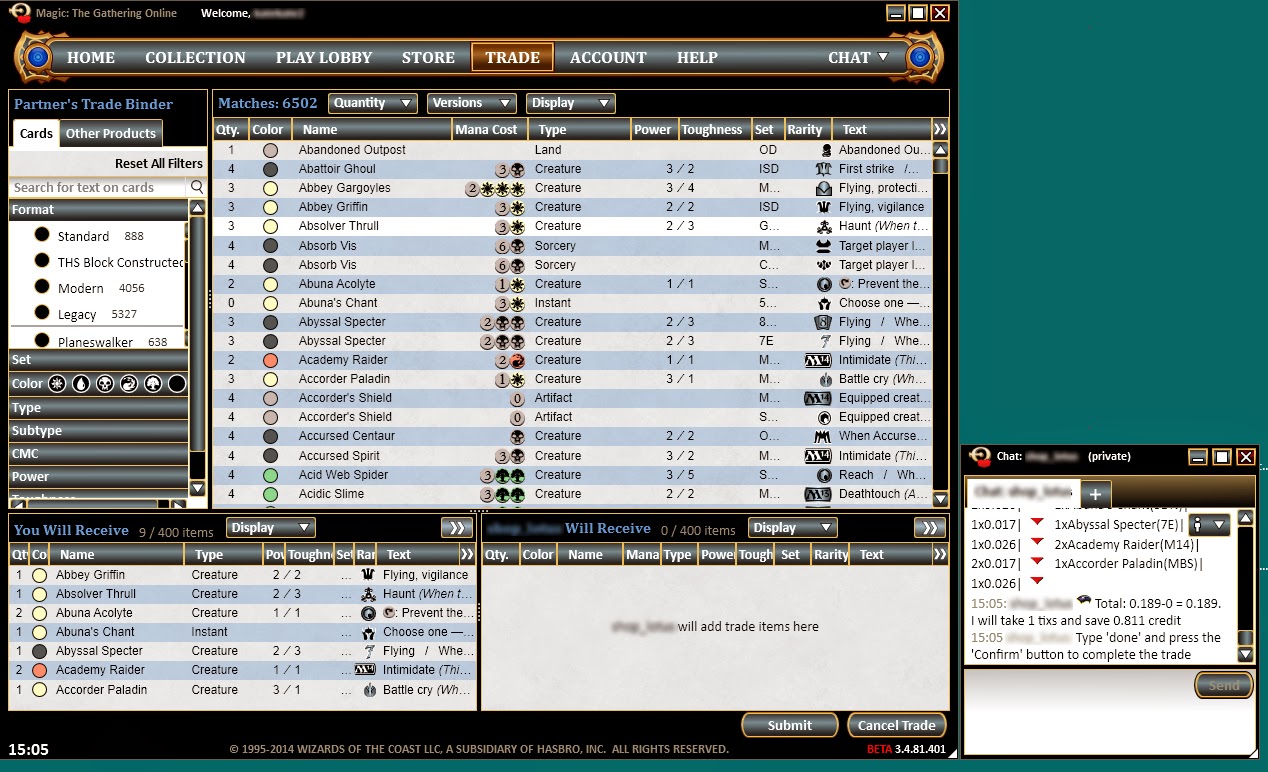
Once the followers copied the investors pick and raised the value of the card, usually, the investor takes the opportunity to dump his copies of that same card. When this is done at the same time or just after the announcement to pick the card, it usually results in a soft price rise while the investor's cards get sold for little profit. When this is done days/weeks after the announcement and prices reach a peak, it will result in a big downwards spike. If timed perfectly, the investor can pull about 7 Event Tickets profit for each copy of the card bought at 30 "tix", resulting in a total of 210 Event Tickets profit.

Sunday, September 28, 2014

Why do investors share their picks?.. (Part 2 of 4)

Part 2 (advertising and sharing)

After the initial 900 Event Tickets spent, the investor will often advertise and share his picks. There's several reasons to do this. One of the most common reasons why they share it's to increase the value of the cards at his/her possession. The more people that follow and buy the card (now priced at 32-34 instead of 30) the higher the card will increase in value.  
This is great news for the investor, because now, the graph can not just be used to prove his/her investment knowledge, but also to estimate his/her own profits. After a couple of weeks the 
card is now being bought (by bots) for 35 tix and sold for about 40.

Thursday, September 25, 2014

Why do investors share their picks?.. (Part 1 of 4)

Part 1 (The planning and investing)

Hello everyone!
On my next series I will be talking about investors and how they use their followers for their own advantage.
Often you might see a highly respectable MTGO player openly saying what cards are they investing on and why. While it seems that they are being kind to you, I would recommend you to be very careful before following them.

The first step from an investor is to pick up a realistic target, a card that has true potential to rise in value and make a profit for themselves, these are often stable rares, fetch/dual lands and so on.
They pick one of these cards, as they are hitting a "low spike". Lets imagine that the chosen card is being bought (by bots) at about 25 and sold at about 29. After buying about 30 copies at an average of 30tix each the investor spent 900 event tickets but has yet to make a profit...

Saturday, May 10, 2014

Beta testing results and ML Bot v4 Open Beta

Hello Botters,

with the spotlight over and the chaotic Beta client at rest for now, we can go back to our normal bot business. We had a few ML bots running and we strenuously tested them over the last 48 hours and overall we are pretty happy with the functionality of the bot.

This is post is to present you what we found about MTGO v4 and ML Bot v4 and where we are headed. For those who don't know, v4 will be released on July (here: http://community.wizards.com/content/blog/4083351 ).


First of all, the bot and surprisingly the beta client were very stable and we reported no unexpected crashes, there were a few minor issues and speed needs to improve, but these are easy fixes. This was our first serious test with v4 and we are happy to say that ML was excellent - we could even release it today and everyone will have a stable and efficient bot. ML Bot for v4 has the same functionalities of v3, with a very similar user interface. You will get used in no time.


Our goal for the next 2 months is to further develop the bot and have an updated, easy to use and fully functional v4 bot by July 1, 2014, this is when we will start open beta testing. The Beta client will go live on Mtgo mid July, not only will we be ready but we will have the best bot, with the best feature to the open public that follows the guidelines of WOTC.

Get excited, new great things are coming to ML Bot soon.

Happy Botting,
Jason - Teamstoge


Friday, April 25, 2014

Introducing the Price Consistency Tool

Hello Botters,

today we take the market back and ban speculators and raiders out of our lives forever. We are introducing a new tool, Pricing Consistency.

Take a look at any card on mtggoldfish.com: compared to paper magic (right, blue line), mtgo prices (left, red line) go up and down suddenly in short amounts of time. In the example Ashiok crossed the value of 5.5 tixs 27 times in a month. This happens because the MTGO Market is lively and very efficient. Without any protection, you could easily buy Ashiok at its highest price and sell it at the lowest, all the opposite you want to do. You can price each card manually via PersonalPrices.txt, but this is really time consuming and simply you cannot do for every card.

The goal of the Price Consistency tool is to decrease the amount of sudden spikes of cards and increase the overall stability of the market. As you see in the first graph the red line represents the current market, the blue represents the market of the future. Price Consistency will help increase your overall profit.
So how does it work? There are two sides of the table, the buy price consistency and the sell price consistency.

Sell price consistency:
For each card, your bots will automatically adjust the selling price to minimize your loss for market fluctuations. For example, if you buy a card for 10 tix and the market drops in value so that you are now selling it for 9 tixs, you will lose 1 tix if you do not have selling protection.

The % dropdown menus defines the force of the price adjustments. You can have a time decay so that a card bought long time ago won't affect the selling price too much.
100% means: if necessary, calculate the new price to save you 100% of the loss. Using the example above, this will result in a selling price of 10 tixs.
80% means: if necessary, calculate the new price to save you 80% of the loss. Using the example above, this will result in a selling price of 9.8 tixs.
0% means: no protection, simply use the current selling price. Using the example above, this will result in a selling price of 9 tixs.

You have the option to override Personal prices. Please note that if your protection percentage is set too high for too long you risk not selling the card, and therefore not re-buying it at the market value. This may result in a lower than normal inventory rotation and an overall loss in profits. Remember that some cards fall in price and if you don't keep up with the market you may be holding onto the card for too long.


Buy price consistency: 
For each card, your bots will automatically adjust the buying price to minimize your loss for market fluctuations. For example, if you sell a card for 10 tix and the market rises in value so that you are now buying it for 11 tixs, you will lose 1 tix if you do not have buying protection.

The % dropdown menus defines the force of the price adjustments. You can have a time decay so that a card sold long time ago won't affect the buying price too much.
100% means: if necessary, calculate the new price to save you 100% of the loss. Using the example above, this will result in a buying price of 10 tixs.
80% means: if necessary, calculate the new price to save you 80% of the loss. Using the example above, this will result in a buying price of 10.2 tixs.
0% means:; no protection, simply use the current buying price. Using the example above, this will result in a buying price of 11 tixs.


Happy botting!

Jason - Teamstoge

Sunday, January 26, 2014

Approach MTGO Finance like Warren Buffet

If you have been living under a rock, you may never have heard of the most successful investor in the world: Mr Warren Buffet, 83 years old right now.

Here's how happy investing money makes him.
This guy has managed to get 20% a year on any money he has invested - over a long period of time. In the world of investing money, he has no match.

Based on a long article in the Swedish financial magazine Aktiespararen, I have tried to figure out how mr Buffet would approach MTGO Finance.

Here are some of his principles and how they may apply to Magic Online:
  • Evaluate the company, not the market:  Think about the deck the card you are evaluating goes into. How will this deck do in the future? What will the demand be? Can the card be reprinted?
  • Choose the right company and act as an owner: If you invest in cards, make sure you have played them. Be aware of the interactions of the card so you can properly evaluate if a card is overshadowed by a newer card. If you deep on a card, make sure you play it. Constantly.
  • Think about the difference between a card's price and its value: Rageblood Shaman spiked on MTGO as it has a lot of value if a Minotaur deck becomes a viable (even tier 3) Standard strategy. The card has a lot of potential value but had a very low price. If you managed to sell in time, you could have earned 1000% on the first spike (5 to 50 cents) .There may be future spikes.
  • Buy cheap and keep for a long time: This may apply more to stock that actually on the average have positive expected value (EV). Magic cards do not. BUT overall MTGO speculators are too shortsighted. Act on the major trends - such as PTQ season and not fancy guesses about the future. (Check out my Seasonal Trading video - link below).
  • Trade as little as possible: Warren wants to avoid fees and you should also act to avoid fees! Do not give the bots 15-50% every time. Sell to humans. Get your own bot from mtgolibrary (you only pay when you sell!). You can trade a lot if you do not lose rake every time you do. Be aware of fees.
  • Invest deeply in a few companies: Specialize. Choose a format or a set and learn everything about it. Do not try to speculate in all MTGO cards. Avoid more complicated areas like foils or promo cards until you are ready. We have all tried to speculate in too many areas. Consider how many speculators are trying to break Standard prices - maybe you should be the one that ignores the current set?
  • Never borrow money for investments: If you borrow money to invest in MTGO cards, you are adding even more risk to a market that already has huge risk. Do not do it. I do not think there are many speculators that do this but if you even think about it - DON'T!
  • Act rationally, not emotionally: Be aware of yourself and your emotions. You are your own worst enemy. Do you have pet cards? Are you attached to an investment and can't sell it to cut your losses? Learn about yourself. Know yourself.
  • Be aware of interest on interest: There is probably a situation where you can get interest on interest on MTGO but I fail to think of one right now.
  • Learn from your mistakes: When you have to sell with a loss think about why this happened. What could have turned out differently? Why didn't it? Did you make the right call and then something bad happened (like a sudden reprint, for example) ? How can you avoid this situation in the future?
  • Take your own path: MTGO finance is different because most of the people on the market are players, not investors. Even so is it really your best option to check Reddit and Twitter and do what Marcel does? Or can you find your own niche?

Thinking like this made Warren Buffet the fourth richest man in the world:

http://en.wikipedia.org/wiki/Forbes_list_of_billionaires#2013_Top_10

He was beaten only by three guys who built worldwide companies. It is hard to approach MTGO Finance like Bill Gates, btw.

Some of my other MTGO Finance material:

Contact Info:
YouTube: MagicGatheringStrat
Web: mtgostrat.com
TwitchTV: twitchtv.com/MagicGatheringStrat
Bot:  mtgostrat. Show your support

Sunday, December 29, 2013

Many Magic Online bots: Virtualization on Windows Comparative Benchmark

We host an article by Enrique taken from his blog: http://www.mtgeconomist.com/en
You can read the original article here: http://www.mtgeconomist.com/en/instalar-bots-de-magic-online-virtualizacion-en-windows-parte-8-2/

Let me say that the main reason for writing this series is the enormous difficulty I have found when trying to search for articles that compare the reliability of different virtualization utilities (in fact I have not found anyone good enough). Therefore, I decided to write my own experience and test the main existing applications so you can decide the program that best suits your needs for your Magic Online stores machine.

What is virtualization?

Virtualization consists of emulating an Operating System (from now OS) inside another one which is the hosting OS. This software runs a full OS inside a window, as if it was another computer. The window that contains that emulated OS is also called a virtual OS or virtual machine (VM in advance).

Virtualizacion en Windows - Virtual Machine

If you remember from previous articles, the bot gets the resources of the mouse and keyboard to interact with the Magic Online client, which prevents you to use the computer where it is installed. With this software you will not have that problem if you install both Magic Online and the bot in a VM, since all the commands in these input devices are virtually processed.
A VM consumes resources like any computer. You can configure these resources with the only limitation of your hosting OS, considering that it also requires a minimal amount of resources. Some virtualization software can overcome these limits but such software emulation greatly reduces the VM performance.
Of course, nothing but the limits of the hardware prevents you from running more than one VM on the same computer. Thus, you could have several stores in Magic Online using a single computer.

Minimum requirements for a virtual machine

Since each VM will consume a significant part of our computer resources, I recommend that you set the minimum requirements in order to run the Magic Online client. The general requirements are (this is valid for the current version 3.0 not for the beta):
  • Operating System: Windows XP Professional SP2 “Lite”
  • CPU: 1 kernel
  • RAM memory: 1.5 GB
  • Hard Disk: 20 GB
  • Video Resolution: 1440×900
The OS is a very small version of the original one. You can create an installation disk from the original image and remove all non-required extra tools with a program like nLite. In my case, my version of Windows XP consumes about 60-70 MB of RAM.

The CPU can be configured with more cores, but I think 1 is more than enough to run the bot with the Magic Online client.

The minimum RAM memory needed is about 800-1000 MB. However, with this amount of memory the OS can remap the loaded programs to the Windows swap file, leaving the VM unusable. An amount of 1.5 GB is the minimum size I have set on my VMs with no problems.
The hard disk space of the VM does not have to be 20 GB, in fact all installed applications and the trades backup files will not take you more than 6-8 GB. Anyway it is always better to leave more capacity, because if you create a virtual hard disk file with dynamic space assignation it will not use more space on your physical drive than required.

About the last feature, the minimum resolution is 1280×800 but it is too limited and the bot may have problems. It is a good idea to set a higher size (1440×900 or 1280×1024 for example), and if you have a lower resolution on your hosting OS the VM will add navigation bars so you can see its entire desktop.
You must also consider that the VMs will have more or less available resources depending on the hosting OS. For example, it is not the same that the hosting OS consumes 1 GB of RAM rather than another one that only uses 100 MB. However, you should also keep in mind that maybe the first hosting OS runs special services for the use of hardware virtualization or other useful features for VMs that are not present for the second one.

The ideal hosting OS would be the vSphere Hypervisor ESXi platform by VMware, which has been specifically designed to manage VMs consuming as little as 32 MB of RAM. However, installation is complex and is not compatible with any PC. If you would like more information about this topic, you can have a look at this series of articles written by Thrillski.

Virtualization with Windows hosting OS: benchmark setup

Once you have viewed the settings for each VM, we will create them with the Windows virtualization software selected for this comparison. Two of the applications I have chosen are completely free and unrestricted: VirtualBox 4.3.4 by Oracle and VMware Player 6.0.1. I have also considered a paid tool, VMware Workstation 10.0.1, in order to see if there are relevant differences that justify its price for its use with a Magic Online bot.

Virtualización en Windows - Software

I have compared the performance by measuring the average times of a sequence of tests that any VM will run frequently. The three applications have been tested on two computers with the following configurations:

Computer 1 Computer 2
Hosting OS Windows 7 Home Premium SP1 64bit Windows 7 Professional SP1 64bit
Processor Intel Core Quad Q8200 2.33 GHz Intel Core i7-2600 3.4 GHz
Hardware Virtualization No Yes
RAM memory 8 GB 4 GB
Hard Disk 500 GB 7200rpm 500 GB 7200rpm
Graphics Card nVidia GTX 285 1GB nVidia GeForce GT 220 1GB


Although it is interesting to see the performance differences between these computers, the rigurous comparison is done for the virtualization software running on the same machine. The tests involve measuring the time taken for the VM to perform the following tasks:
  • VM first boot. Measures the performance without using the cache memory, useful if virtualization software starts upon booting the hosting OS.
  • VM second boot. While you don’t run other programs, if you reboot the VM you will see how its performance is improved.
  • Simultaneous boot of 2 VMs (same software). The aim consists of testing how virtualization software manages computer resources among multiple VMs. This test is useful for measuring the performance if using more than one store.
  • Simultaneous boot of 2 VMs (other software). This test is used to test how an virtualization tool manages the system resources without caring about other VMs from other software.
  • Running Magic Online update tool (Kicker). As this application mainly depends on the communication with the server of Magic Online, I wanted to use it to get an idea of ​​how virtualization software manages the network connection.
  • Running Magic Online client. This test allows to compare the performance of data loading of Magic Online as well as the management of the CPU computation performed by the virtualization software.
  • Load the price list of the MTGO Library bot. This phase of the bot setup makes heavy use of memory, which is important during the execution of the store.

Results and discussion

Firstly I will detail the conditions under which I have done every test to ensure repeatability and a good comparison between platforms:
  • The first 4 time trials start right after clicking the start button of the VM and end when the desktop is fully loaded (icons and Start bar are shown on the window).
  • Kicker starts right after clicking the icon to run it, and ends just after the check for new updates is completed. Magic Online client has been previously updated in all tests.
  • The Magic Online client starts right when the Launch button is pressed on the kicker tool, and ends just when the login screen appears.
  • Finally, the test of the MTGO Library bot starts when pressing the Launch button, and ends just after loading the OCR and before launching the Kicker. For this test the buying list has been configured with 4 copies of all cards available up to date in both, regular and foil versions.
Each test was repeated 5 times and the result is the average time obtained from these repetitions. The virtual OS has just the required applications pre-installed (Magic Online 3.0, .NET Framework and MTGO Library), and its hard disk has been defragmented and optimized. The bot version used is 6.31. In the following graphic you can see the results (the lower the better value).

Virtualización en Windows - Test 1

Virtualización en Windows - Test 2

As conclusions, firstly it can be seen that the overall performance of VMware products is higher than the provided by VirtualBox. Oracle software only seems to highlight on the bot load list test with the computer that has hardware virtualization, something that shall be considered. But in general terms, VirtualBox does not seem to be a suitable product for bot virtualization in Windows.
Perhaps the only exception is when you want to run more than one VM. As you can see, the test for 2 VMs with VirtualBox and VMware show a signifficant improvement on performance over the use of only one software. This is an interesting result because one could expect that one virtualization program should better manage the computer resources, but this has been proven to be false at least on the computers of this benchmark.

If we focus on the free and paid versions of VMware desktop, we can see that the time differences between the two solutions are not very noticeable. At least they are not for the cost savings of using the free version. Therefore, in my opinion I do not see it necessary to use the payment application to manage Magic Online stores.

On the other hand, it is also interesting to compare the difference in terms of performance between both computers. As you can see from the results, the improvement of speed for the second machine processors is very relevant. Although the memory of the first machine is twice the second one, this fact does not affect the load times for 2 VMs even with the exact required amount of memory. Therefore, it seems clear that the processor will be a critical element for the proper functioning of our stores.

In conclusion, for computers with Windows as the hosting OS I would personally use the VMware Player application. If you have a more powerful computer with more RAM you can try these tests with more than 2 VMs, compare the use of this application together with VirtualBox and comment your results.
In the following article I will describe the tests I have done to test virtualization in Linux with the most relevant software I could find for this task.

Wednesday, December 18, 2013

ML Bot Webshop Automation

Last week I found two interesting examples of webshops based on ML Bot and mtgolibrary.com. These are interesting because the owners found a way to interact with ML Bot and expand it beyond its original features. I'll talk about jbmtgo.com (a shop to buy cards online) and mtgotickets.com (a place to sell and buy tixs). Please visit them to get an idea.

  • JB Mtgo Shop (click on the image to visit it)


Jbmtgo.com is a shop selling mtgo cards. You place the order, you pay with paypal, you go online on mtgo, contact the accont of the owner and you get the cards immediately. I tried it and it's very efficient. Technically speaking, the shop parses the file "cardsNeededAndCollection.txt", originally designed for debug purposes (and not documented on the manual). The files contains a list of all cards in the collection and their prices, so the shop can populate the inventory. One could do the same by parsing the csv of the collection, a file named .csv located in the C:\ folder (where "some_strange_characters" is a random string with numbers and letters such as hd67c2msd13d02p.csv).


  • Mtgotickets (click on the image to visit it)


The other shop, mtgotickets.com is even more interesting. It just sells and buys tixs but it is more automated than jbstore. To buy tickets, just click on the orange button, choose the amount of tixs you want and then pay with PayPal. Right after the payment your account will be credited. This works more or less like this: when you send a payment, PayPal sends an email to the owner of the shop. A script on his server looks for new emails every 5 seconds and when one is founds it sends an SMS. The owner will connect, possibly via mobile, and adjust the credit on the Online Control Panel, so you can take the tixs in 1-2 minutes.

Prices change with time. Yesterday the price was 1.03 usd per tixs, today it is 1.02. I asked the owner if he has some sort of automatic updater to adapt the price with the market , like mtgotraders, but he didn't answer the question.

On mtgotickets.com you can also sell tixs. There is no automation here since the payment is manually sent via "gift" payment to save the fees. If the shop would have sent regular payments instead of gift payments, this side could have been automated too: the shop would have parsed the Tradelog on the Online Control Panel and once a "deposit" is found, a PayPal payment (via the PayPal REST Api) is sent.


Do you own a service like the ones above? Do you know / use one? Please write us (staff@mtgolibrary.com) and we'll talk about it!


Friday, November 29, 2013

14 days free trials

Starting from tomorrow, all the new accounts will enjoy a 14-days free trial instead of 7. ML Bot is a complex software, more than in 2007 when we started, and we thought that 7 days were not enough to fully evaluate it.

If you started a new bot this week, please write us (staff@mtgolibrary.com) and we will extend the free trial.


Sunday, November 24, 2013

When to invest in the Fall set (Theros for 2013)

This fall people have asked me several times when to buy Theros cards. I have always answered "between December 15 and New Year". That is still my answer, but let us examine if that is really the truth, using data from the last Three fall sets, as well as considering how the non-existence of Daily and bigger events affect this.


When should you have bought Return to Ravnica cards?

One of my favorite MTGO Finance sites, mtggoldfish.com, has a very useful index function.

Let us look at the index for Return to Ravnica here: http://www.mtggoldfish.com/card/RTR

So the bottom prices of RTR were Dec 14 2002, Jan 5, 2013 and Another dip on Feb 9, 2013.

That does reflect well on our hypothesis, but we also need to consider the differences between Theros and RTR. Theros will be drafted all year, first alone, then with Born of the Gods and finally with both Born of the Gods and Journey into Nyx, whereas Return to Ravnica was not drafted at all during Gatecrash.

Let us look at the fall set of 2011 then.

When should you have bought Innistrad cards?
We are only considering the Standard Life span of the cards here, so the real answer ("right after rotation!") is not relevant to our Theros discussion.

Here is the ISD index: http://www.mtggoldfish.com/card/ISD

We have the two deepest bottoms at Nov 29, 2011 and Feb 22, 2011 but then ISD drops again (!) and reaches its very lowest Point in May 2012, right around the release of Avacyn Restored.

ISD was also drafted differently. It was drafted with its first small set, DKA, but then it was not drafted at all during Avacyn Restored.

We will need to look at Scars of Mirrodin, which was actually drafted just the way that Theros will be drafted. What did that do the price of rares and mythics from SOM?

When should you have bought Scars of Mirrodin cards?

Once again ignoring the huge effect of rotation, lets have a look at the index: http://www.mtggoldfish.com/card/SOM

There is again a valley around Christmas. The very lowest points are Jan 17, 2011 and March 3rd, 2011, but then something strange happens. There is a huge dip! On June 16, 2011, SOM prices are as much as 20% lower than in February. There is also very importantly no significant spike in prices during the first two quarters of the year. The spike comes right when M12 is released.

Goldfish has no data for Zendikar. If anyone knows where to find that data, let me know.

What will be the effect of the non-existence of Premier and Daily events?
All events bigger than 8 players are gone from Magic Online when I write this. This has caused prices to drop. This will probably accentuate the drop around Christmas, making picking up cards in December more attractive than what would have otherwise been the case.


Standard PTQ Season
This year, Standard PTQ Season has been moved. It now runs from December 7, 2013 until March 9, 2014. This probably means that Standard prices will go up as soon as PTQs return to Magic Online and that they will drop more sharply during the second quarter without PTQ support.

The conclusion
It is probably premature to buy into Theros in December and if you can wait until May/June, you should do so.  My suggestion? Buy playsets that you need (I will do so, especially as I advocate Selling Everything from Theros block as early as in March 2015 with the current PTQ season Schedule unchanged) in December and then buy your speculation stock in May/June.


Sunday, November 10, 2013

When to sell a Magic online card

Hey! I bought 26 pack rats at 0.05 cents and a couple of weeks back they were suddenly one dollar due to the Mono Black Devotion deck! High score! Right?

I sold most of my Pack Rats. To humans, to avoid the bot rake.


Then Pack Rat Went up to two dollars. I bought some at 1.20, sold them for close to 2. Brought out my playset and listed them at two as well.

Then Pack Rat crashed back down to about one ticket again.

So in the end I sold most of my stock at one dollar when I could have received two tix each for them.

Most speculators, bot owners and MTGO finance buffs know (or at least think they know) when it is time to buy (HINT: Buy Theros in mid-december when the fall set is traditionally at its lowest price during its Standard life cycle). But when is it time to sell? That is a very hard question to answer.

If you never sell, you never make any profit
It is so easy to just sit there and Watch your cards rise in value and wait for just a couple of percent more. But leave the last 10% to the other guy. Get out while you can. Bring home the bacon! If you never sell, you never win.


Some good rules to keep in mind when you are selling cards on Magic Online

# Sell when demand is at its highest. Sell Standard cards in february when the Winter set has just come out and Standard PTQ season is going on. Sell Modern cards in July when the Modern PTQ season is in full swing.

# Do not sell at the bottom. Have patience.

# Set a price where you sell no matter what in advance. If you speculated on a penny rare, maybe you want 10 times the Money when you sell. Then sell at 50 cents, even if the card is still rising. Take the profit! I usually sell when I get 200% profit, except for penny rares. 200% in under a year is my magic number. I am surprised at how often I get that.

# Sell before rotation. Long before rotation. Rotation is what costs people money on Magic Online. Do not be the guy that got rid of Thragtusk for 3 tickets. Be the guy that got rid of Thragtusk for 13 tickets when demand was still high. This is probably the single most important thing you can do for your MTGO budget. Be aware that you are paying a steep price for playing the old block rares and mythics in Standard during the summer. Actually, if you care at all about your Magic budget, be aware that you probably pay a very steep price for playing Standard at all, but that is another story.

Also, Always remember the most important thing! http://mtgolibrary.blogspot.se/2013/10/the-most-important-thing_23.html

My contact information
Twitter: @MagicGathstrat, youtube.com/magicgatheringstrat, magicgatheringstrat.facebook.com and mtgostrat.com


Friday, November 8, 2013

Should not post this..

Today I received an email. It made me happy.

"Something seems to have improved I have had more traffic than I have in a long time.
Thanks for the effort and hard work."

Well, I guess this is the result of the hard work we are doing here at mtgolibrary. Most of the work is hidden to the eyes but your account feels it :-)

Wednesday, November 6, 2013

Psychological pricing vs Float Pricing

What is Psychological Pricing?
Psychological pricing or price ending or charm pricing is a marketing practice based on the theory that certain prices have a psychological impact. The retail prices are often expressed as "odd prices": a little less than a round number, e.g. $19.99 or £2.98. Consumers tend to perceive “odd prices” as being significantly lower than they actually are, tending to round to the next lowest monetary unit. Thus, prices such as $1.99 is associated with spending $1 rather than $2. The theory that drives this is that lower pricing such as this institutes greater demand than if consumers were perfectly rational. Psychological pricing is one cause of price points. (Source)

This Pricing does not only gives the false idea that something is cheaper than normal but also means your will be undercutting competition that are selling a Magic Online card for the "same" (0.01 more) price. This also means that your bot will be listed first on wikiprice when sorting by price and so on.

(Example of Psycological pricing on a well known bot chain, Buy on left, Sell on right.)

This sounds like a straight foward better option when it comes to pricing cards, but there are many situations where "float pricing" can be used in your advantage; Specially on Magic Online.

Float Pricing
Float pricing is a pricing method that takes advantage of the credit system in Magic the Gathering:Online. Pricing a card at 15.01 will benefit a regular customer with saved credit (against a newcomer) as they are likely to be able to take the card for just 15 Event Tickets (plus 1 cent credit). The main advantage of this are the extra sales you will make with this technique with new customers and the reduced amount of "raiding" trades. The same can be done to buying prices (ending on .99).

The way this method helps against raiding is quite simple. If a card is worth between $11.75 and 12.25 and you have it priced at 11, the chances are that you will sell it very quickly to a non regular customer for 11 that will never come back. Having that card at 11.01 means that you will either sell it to a regular customer for 11 Event tickets (while a raider with no saved credits wouldn't take it); or, with a bit of luck, will result in a trade like the one I had bellow last month. 

(on this example you can see one of the big advantages of the float pricing method)

While the trade above was happening I was lucky enough to watch the whole process. The Customer started by picking up the Polukranos, World Eater card, which I had manually priced at 11.01 Event Tickets.

on this specific day that card value spiked up to over 13 Event Tickets

 The Customer had no credits so the bot quoted 45 tix (saving 0.96 credit). If the card was priced at 11.00 the trade would be over within seconds and this person would probably never use my bots again unless he found another great deal in the future.

What happened was completely the opposite to the typical "raiding trade", the customer after a minute or two, started picking other cards trying to round things up to 45.0 so he wouldn't leave 0.96 credit. All the other cards he needed were worth between $2 and $5, meaning that the end result would never be near the 45.0 mark.

On the end this Customer ended up picking up all his needs from my bot resulting in a overall small profit (even though the Polukranos, World Eater were sold quite under the fair price). 
Needless to say that all the other bots that sold the card via "psychological pricing" at 10.99 and even at 11.99 on that day, made a worse deal than me selling this whole package.

This person is now a regular happy Customer... :D

Please comment or share your success stories!

Monday, October 28, 2013

Estimated Profit

Starting from today, 6pm, all the ML Bots with version greater or equal than 6.11 can view the "Estimated Profit" in the Tradelog. 

What is this? This is the projection of the profit, computed as sum of the selling prices - (minus) sum of the buying prices / (divided by) 2.  


The profit is computed as difference between the actual selling prices and the buying prices, divided by two because the profit will be "full" only when the selling (or buying) part of the trade will be performed. This profit is "estimated" because prices can go and up down, and you could sell (for example) sell at slighly higher or lower value. In a normal market the two values (estimated profit and real profit) are close.

Let's have an example. The bot in the image bought 4 Dissension Boosters 20 minutes ago at 1.92. The Estimated Profit of the trade is 2.008 because the selling price here is 2.924 and the buying price is 1.92 (and thus (2.924-1.92)/2 and multiplied by 4 is 2.008).  Only the CardLog, of course, can tell you the real Profit, so let's click on the link (see second image).


The CardLog basically says that the profit on a single item Dissesion Booster is 0.473 tixs on average. Multiplied by 4 (because 4 items are involved in the trade) we get 1.892: a value very close to the Estimated profit.


Hope you'll like!

Wednesday, September 25, 2013

Quantitative Easing (Part 2 of 2)


Last time I wrote about Quantitative Easing (QE) and why the powers that be justify the vast injection of money   We discussed their justification of this by stating that the fears of deflation and how it can wreck an economy is justification of this unorthodox strategy.  It is along the lines of “We are afraid of dust bowls so we are going to flood the plains so dust bowls can not occur.”

While I understand their thought process, I still have the “what are they thinking” thoughts rummaging around in my head.  It simply does not make any common sense.  Let me explain.

Injecting large amounts of currency into the ecosystem will discourage new money from coming into the game.  Let’s say WotC gave each account 243,586 tickets.  Prices for each card would eventually adjust to match the new level.  This is what you would expect.  However, now imagine a new person coming into the game.  What would their level of satisfaction be if their real $20 could not even buy the cheapest and jankiest of commons?  What if it took $1,500 to get into a draft?  Such a level of entry would quickly discourage new players from joining the Magic community and would also prohibit new money from coming into the ecosystem. 

Over time, players who had a healthy collection value (Defined as the worth of their cards and tickets) before the ticket injection will do well with the hyper-inflated prices while players who had little collection value will quickly be swamped by those with assets.  These players will eventually drop out of the game because they could no longer afford to keep up.  In other words, the rich will get richer and the poor will get poorer.

The same thing is happening in the real world.  The banks are receiving this huge injection of cash and bankers want to do something with this money.  Where is the place to put money right now?  Not enough people qualify for loans or are comfortable in trying to get a loan in the current situation.  Bonds are paying close to nothing.  So the money is going into the stock market.  This is why the stock market is at record levels even though the underlying economy is in shambles.

Thursday, September 19, 2013

Quantitative Easing (Part 1 of 2)

If you were watching the US Stock Market (DJIA) on Wednesday Sept 18, you noticed something a little weird.  Just after 14:00, the DJIA went up about 200 points in about five (5) minutes.  All the experts said that this spike was due to an announcement by the Federal Reserve that they are going to keep in place their policy of Quantitative Easing.  (QE)

So what is this Quantitative Easing anyway?  In a nutshell, it is where the government simply prints money. By this, I do not mean currency which is used in day-to-day transactions.  This money is being created out of thin air, by pressing a button and bank reserves are now increased digitally.

If this sounds unconventional, you would be correct.  This was first tried in Japan in 2007 and three (3) rounds of QE have been done in the United States.

So what is the purpose of QE The purpose of QE is to keep the inflation rate above a certain threshold.  Why keep inflation above a certain point?  Doesn’t increasing prices make it harder for workers to make ends meet and doesn’t it lower the quality of life?  Absolutely.  But the government fears deflation even moreDeflation is where prices fall and if left unchecked, can collapse an economy.

Let’s discuss QE and inflation in terms of Magic Online.  If WotC decided to give every account 261,384 tickets, what would happen to MTGO?  The prices would jump out of whack for some period time but eventually the prices would stabilize.

Such a move would be chaotic but it is far preferable to the alternative: a deflationary effect where each card drops in value every day.  Why buy a card today when it will be cheaper tomorrow and cheaper the day after that?  While we do see such things happen in technology, we do not fear the deflationary effect because there is a new “top end” item that is being produced, be a new car, a new phone, or in MTGO, new sets.


Saturday, August 31, 2013

New wikiprice is online

The new wikiprice is officially available online now. Please visit it here: http://mtgowikiprice.com/

Wikiprice offers now faster searches (the average search takes less than 2 seconds) and more frequent updates - a total update takes 6 hours while the old version took 24 hours. Under the hood there is a technology able to go real time - right after a trade wikiprice will update and will reflect the changes in the collection.
The times where you found an item on wikiprice and the listed bots didn't have it are going to finish soon. 

A problem of the old wikiprice was the unreliable update algorithm: some bots weren't able to update properly and after 48 hours their inventories rotated out. The update mechanism has been totally redesigned and the issue won't repeat.

Still not perfect, I am sure you will fall in love and get addicted soon :)


Sunday, August 25, 2013

MTGO Library Bot 5.90 released

ML Bot 5.90 has just been released. It supports the new wikiprice, up next week.

Yes, you understood correctly :-). After years, finally wikiprice gets a major revision and a new improved version will be online soon. Expect it to be faster, easier to search, and real time............


Wednesday, August 14, 2013

Remote Control of the ML Bot


We host a series of articles from our friends blog http://www.mtgeconomist.com , a blog dealing with mtg and mtgo economics.

You can read the original article here: 
http://www.mtgeconomist.com/en/mtgo-library-control-remoto-del-bot-parte-6-3/


Previously we took a look at all the settings of the bot. The main problem is that you have to be in front of the computer which is running the bot in order to make any changes in their behavior. To solve it, in this article I will explain how to view the status of your robot, statistics from sales/purchases and even how to make a remote control of the bot.


Control panel on the web

MTGO Library provides an additional service to the software that controls our digital cards store. This control panel can be accessed through our session on the bot website. Upon entering, you will see a page like the capture below.


This section is the “Dashboard” or main desktop where you can access to all available information remotely. As you can see there are 3 different areas:
  • Top menu: Access to all bot updates and its price list, as well as the renewal of the licenses (Lite and Pro). 
  • Side menu: Mainly displays performance statistics of the bot, however you can also make some changes from here. These options will be discussed in a future chapter because it is more related to strategies when creating your own chain of bots. 
  • Main section: Here it is shown the corresponding section selected from one of the previously commented menus. 
Within the left side menu options, firstly there is a series of display options with both, bot information and statistical data:


  • Dashboard: Displays a screen capture with the operating system of the bot. Below it is a bar with connection status of that computer. On the right side you can see a summary of the following information from bot: bot status (online/offline and if it is with a customer); status of the Magic Online client (online/offline); 
  • Transaction fee or commission due to the bot transactions; date and type of the last transaction; license type (Free/Lite/Pro) and expiration date; and the total value of the collection managed by the bot.
  • Trades log: on ​​top of this page there are diagrams with the latest sales statistics representing the total value of trades, number of trades of the most frequent customers, percentage of buyings against sales… Afterwards, there is an advanced search engine transaction, and below there is a list of the transactions for the last 24 hours. In the summary of each transaction you can see its mode (buy/sell/trade), total value, customer name and its date. If you want to see the details, you just have to click on the bar of the transaction to see the following information: 
    • List of cards exchanged with their individual price 
    • Total value and the value without the customer accumulated credit 
    • Tickets received 
    • Previous and current customer credits 
    • Tickets available on the store after this transaction 
    • Fee generated by this transaction 
    • Total fees after this transaction (debit to MTGO Library) 
    • Links to screenshots generated just when the bot confirms the transaction
  • Cards Log: This section is very useful when you want to track the benefits of a specific card. After searching a card, this section shows all its buys and sales with their values attached. The site also summarizes the profit or loss made by this card. Thus, by using this information you can decide, for example, to change the prices of a particular card. 
  • Collection History: Summary of the total value of your collection divided by rarity. It is updated every 24/48 hours and, although it is useful to get an idea of ​the value for your stock, often these data are not very accurate. For example, there are some days that I have had almost no sales and my collection changed its value around +-200 tickets. 
  • Transaction Fee: List with each renting fee generated and deducted by one of the official MTGO Library accounts. These accounts remove fees by taking tickets from your store every time its the renting fee exceeds the value of 1 ticket. 
  • Multimonitor: Current screenshot from each of your bots. It also shows their online status and the commission generated by each one independently. Remember that for every bot you have to pay the fees generated by their respective transactions.
Below these statistics options there are some sections which modify the data the bot works with:
  • Credits: Displays the available credits for each client who has done transactions in your store. Each customer on the list offers an option to show all his transactions, as well as the possibility to edit their credits for any reason. 
  • Messages: Allows you to change the text of the advertisement shown in the “classifieds” section on Magic Online. This option is very useful if you want to remotely change your advertising. Changes are made every hour, so it may take you a bit to see the update of your advertisement. 
  • Sharing Credits: If you have more than one bot, from here you can make to share the credit between themselves. This means that a customer will have available the same credits in your entire chain of bots. 
  • Blacklist: Finally, your session on MTGO Library website allows you to add users to a blacklist. Thus, a client on the blacklist cannot trade cards with your bots. You must be very sure to add someone here, and you should only do this if that customer has persistently abused from your stores. This explanation covers all the options you can handle from MTGO Library site to control your stores without being in front of the computer which runs the bots.

How to make a remote access to your bot

As you can see, although the control panel of MTGO Library website has many functions, it may happen that you wish to directly manage any of your bots for pausing, restarting, changing the custom price of a card… There are many methods to solve this problem, however I will explain in detail the one I use: LogMeIn.


Why I use this service? There are many reasons, but the most important are:
  • Its basic version is offered for free 
  • Very fast and easy-to-use interface 
  • Easily manages a lot of computers from a single place. It may be used from different platforms (PC Windows, Mac, iPhone and iPad) 
The last point is very important for me, as it allows the remote control of the bot from your phone when you are far from home (obviously you should have an internet connection).
The steps to start using LogMeIn on the computer you install your bot are the following:
  1. Create an account at LogMeIn
  2. Login to your account on their website and, from the “Home” section, select “add computer” 
  3. Download their application (Free version) and install it on the computer which runs the bot. It will ask you the computer name and if you use a proxy for your connection. 
  4. That’s it! In order to use the remote control of your bot, go again to your “Home” section and you will see your computer on the list. Click over it and type the username and password of the user of that computer. 

Conclusions

With these tools you have a complete remote control system for your bot, so you can manage its behavior at any time. This feature is very important because sometimes you have to fix prices of cards, pause the bot, perform maintenance tasks, know the sales/purchases of your store…

The next chapter of this series will show you some of the most common strategies to create your own chain of bots.